

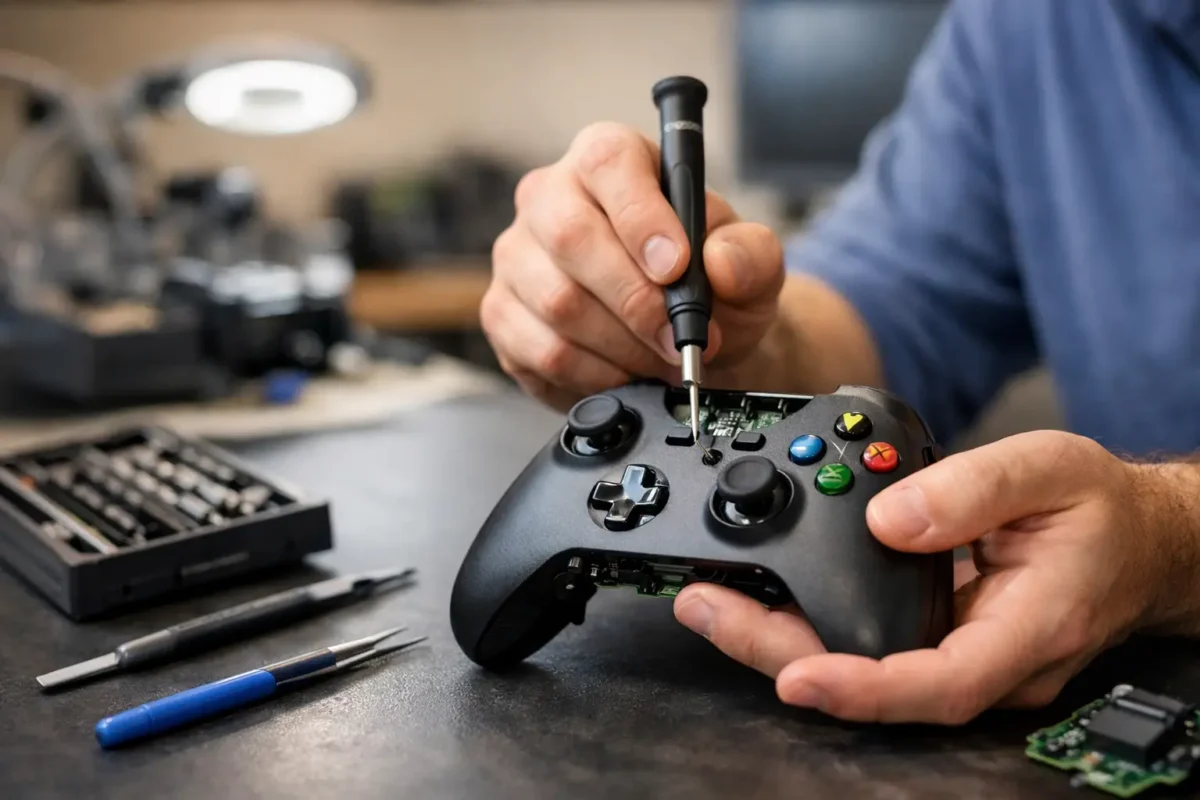
A controller that randomly disconnects in the final round, drifts across the screen, or refuses to charge is not a minor annoyance. It can make an otherwise healthy Xbox feel unusable. Riverside Xbox controller repair should start with finding the actual failure, not guessing at a quick replacement part and hoping it holds up.
At Amazing Technology Group Inc., difficult electronics failures are handled with the same practical approach used for consoles, computers, and professional equipment: inspect the device, test the fault, isolate the cause, and repair what makes sense. That matters because Xbox controllers can fail for several reasons that produce nearly identical symptoms.
When an Xbox Controller Needs Professional Repair
Stick drift is the issue most players recognize. Your character moves without input, a menu scrolls by itself, or aiming feels inconsistent even after adjusting dead zones. In many cases, the analog stick module has worn internal contact surfaces or developed contamination. Replacing the stick assembly may solve it, but the work needs to be clean, mechanically sound, and properly tested afterward.
Not every drifting controller has a worn stick module, though. Damage to the board, poor prior repair work, liquid exposure, or a problem in the controller’s signal path can also affect input behavior. A real diagnosis prevents spending money on a repair that does not address the root cause.
Buttons are another common failure point. An A, B, X, Y, bumper, trigger, D-pad direction, or menu button may become intermittent, mushy, unresponsive, or stuck. Sometimes the issue is a worn conductive pad or damaged plastic actuator. Other times, it is a failed tactile switch, torn trace, cracked solder joint, or contamination on the circuit board. The right repair depends on what failed and how far the damage extends.
Charging and power problems deserve the same attention. A controller that only works when plugged in, will not charge a battery pack, shuts off unexpectedly, or does not power on may have a bad USB-C or micro-USB port, damaged battery contacts, corrosion, a faulty cable, or a board-level power issue. Replacing a cable is easy. Repairing a damaged port or power circuit correctly takes the right equipment and hands-on electronics experience.
Why Riverside Xbox Controller Repair Is Not Always a Simple Swap
Controllers are compact devices, but there is a lot happening inside them. Modern Xbox controllers contain analog input systems, trigger mechanisms, wireless hardware, charging circuits, vibration motors, flexible contacts, and a densely populated circuit board. A rushed disassembly can tear a ribbon cable, misalign a trigger assembly, strip a housing screw, or create a new problem while trying to fix the first one.
Part swapping has its place. If a worn module or damaged bumper assembly is clearly the problem, replacing it can be the most efficient path. But a professional repair shop should not stop there. The controller should be checked for related damage, tested through its full range of inputs, and reassembled so it feels right in actual gameplay.
Board-level capability also changes what is repairable. If a charging port has lifted pads, a trace has been damaged, or corrosion has reached components near the port, a basic replacement may not be enough. Micro-soldering and PCB repair can make the difference between restoring a valuable controller and writing it off unnecessarily.
That does not mean every controller is worth repairing. A heavily liquid-damaged unit, severe internal corrosion, multiple broken assemblies, or a low-value older model may cost more to repair than replacement makes sense. Honest service means explaining that trade-off before work moves forward.
Common Xbox Controller Problems We Diagnose
A controller can look nearly perfect on the outside while hiding a real hardware failure. The most common issues include stick drift, dead buttons, weak or broken bumpers, trigger problems, charging port damage, battery contact failures, wireless disconnects, and damage caused by drops or liquid spills.
Wireless issues can be especially frustrating because they are not always caused by the controller. Interference, a console pairing problem, outdated firmware, weak batteries, and a failing internal wireless component can all lead to disconnects. Testing helps separate a controller fault from a console or environment issue.
Trigger problems also vary by model. A trigger may feel loose, fail to return, register constantly, or stop registering altogether. The cause could be a broken internal bracket, spring issue, worn sensor, or damage after a drop. The correct fix is based on the exact controller version and condition, not a one-size-fits-all assumption.
Elite controllers deserve special attention because of their higher cost and added components. Adjustable sticks, paddles, trigger locks, and removable accessories create more possible failure points. They are often worth diagnosing before replacing, especially when the rest of the controller is in good condition.
What a Proper Repair Process Looks Like
A dependable repair process begins with the symptom you are experiencing, but it does not end there. If your left stick drifts, the technician should verify it. If a bumper only works when pressed at an angle, that behavior should be tested before the controller is opened.
After inspection, the controller is disassembled carefully and the affected components, board connections, and surrounding areas are examined. For liquid exposure, corrosion must be assessed before quoting a simple part replacement. For charging faults, the port and its solder connections need to be checked, along with the battery and power path.
Once the fault is identified, you should know what repair is recommended, why it is needed, and whether there are any practical alternatives. Authorization comes before repair work proceeds. That keeps the process transparent and gives you control over the decision.
After the repair, testing matters. Analog sticks should be checked for proper movement and input response. Buttons, bumpers, triggers, D-pad directions, charging function, vibration, wired operation, and wireless connectivity should be verified as applicable to the original issue. A controller is not fixed just because it turns on at the bench.
What You Can Do Before Bringing It In
There are a few safe checks worth trying before scheduling a repair. Update the controller firmware through the Xbox Accessories app, test with a known-good cable or fresh batteries, and try the controller on another compatible Xbox or PC if available. This can rule out a simple software, cable, or console pairing issue.
Avoid spraying cleaners into the stick assembly, forcing a damaged USB port, or repeatedly bending a cable to get intermittent charging to work. Those attempts can turn a repairable issue into board damage. Opening the controller without the proper tools is also risky, particularly when a problem involves stick modules, trigger assemblies, or soldered charging ports.
If the controller was exposed to liquid, disconnect power and remove batteries or battery packs as soon as possible. Do not charge it to “see if it still works.” Power running through moisture or corrosion can damage components that might otherwise have been saved.
Repair or Replacement: Make the Call With Real Information
The best choice depends on the controller model, the failure, and the unit’s overall condition. A newer Xbox Series controller with a failed USB-C port, stick drift, or a broken bumper can often be a strong repair candidate. An Elite controller is frequently worth evaluating because replacement is more expensive. A controller with major corrosion, extensive physical damage, or several unrelated failures may be better replaced.
The goal is not to sell a repair at any cost. It is to give you a technically sound answer and a practical path forward. For Riverside County gamers, that means having access to technicians who can handle more than cosmetic fixes and basic part swaps.
Your controller is the connection between you and the game. When it starts failing, get the fault diagnosed properly, weigh the repair against replacement, and put reliable hardware back in your hands.