

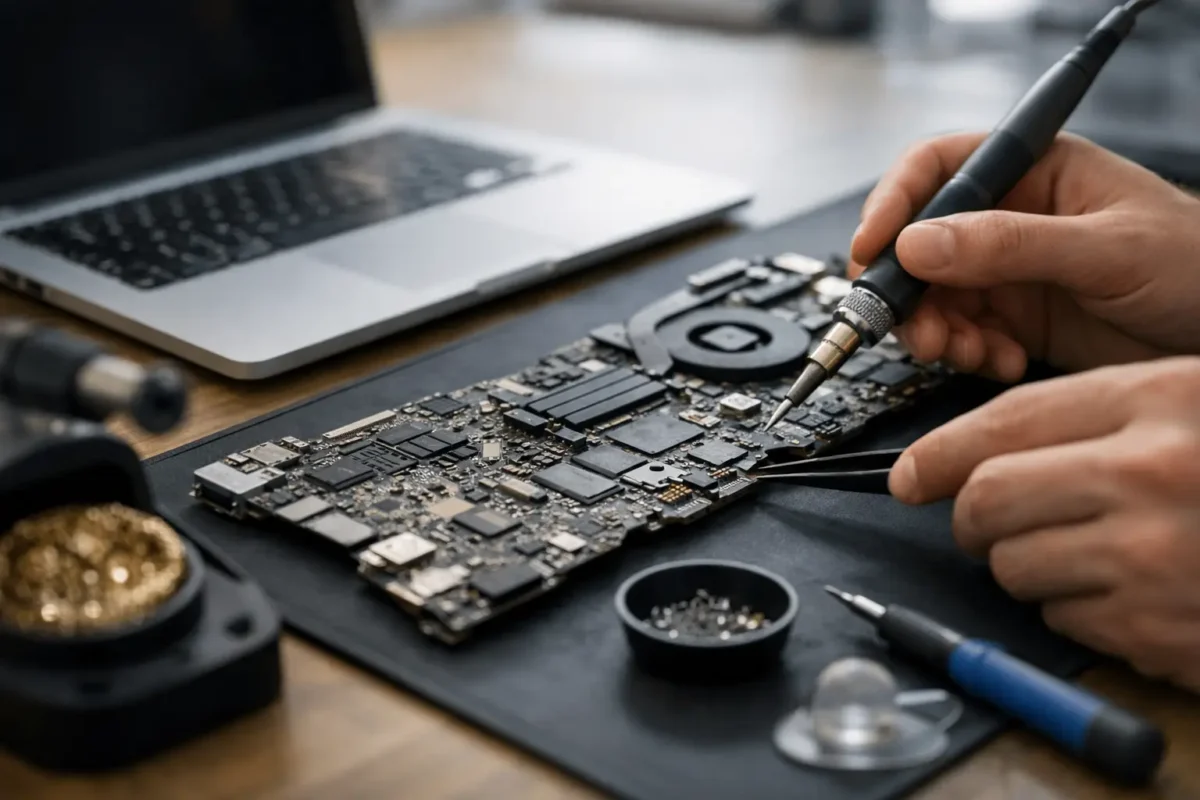
A Mac that suddenly stops charging, runs with no backlight, powers on to a black screen, or dies after liquid contact often gets labeled with the same expensive verdict – replace the whole board. That is exactly where mac logic board repair matters. In many cases, the real failure is not the entire board. It is one damaged circuit, a shorted rail, a failed controller, corrosion around a few components, or a broken solder connection that can be diagnosed and repaired by a shop that actually works at the board level.
What mac logic board repair actually means
A logic board is the main board inside a MacBook, iMac, Mac mini, or other Mac system. It carries the power circuits, charging system, CPU support circuitry, storage communication paths, display control, USB and Thunderbolt management, and dozens of other critical functions. When that board fails, the machine can look completely dead even if the screen, battery, keyboard, and storage are still fine.
Mac logic board repair is not the same as swapping assemblies until something works. Real board repair means tracing the fault to the component or section that failed, verifying the cause, repairing the damage, and testing the board under load. That may involve micro-soldering, replacing burned components, cleaning corrosion, rebuilding damaged pads or traces, replacing charging ICs, repairing backlight circuits, or dealing with power-on sequencing problems.
This matters because the difference between a full board replacement and a proper repair can be substantial in both cost and outcome. If the original board can be restored, you may keep your data path intact, avoid the price of a replacement assembly, and get more life out of a machine that still has plenty of value.
The failures that commonly lead to logic board problems
Not every dead Mac has a bad board, but many serious failures do trace back there. Liquid damage is one of the most common causes. A small spill near the keyboard may seem harmless at first, then corrosion spreads and starts taking out low-voltage lines, power rails, or keyboard and trackpad circuits days later.
Power issues are another big one. A Mac may stop charging, charge intermittently, or fail to recognize the battery because the charging circuit, USB-C controller, fuse, current sensing section, or a related power rail has failed. In other cases the machine powers on but has no image, no backlight, or random shutdowns. Those symptoms often point to a board-level fault rather than a simple battery or screen issue.
Heat and age also play a role. Over time, components can fail from repeated thermal stress. Some boards develop weaknesses in specific power management areas. Others suffer physical damage from previous repair attempts, impact, or connector damage.
Then there is the category that frustrates customers the most – machines rejected by general repair shops. If a shop only replaces major parts, anything more complicated than a battery or display can get written off too early.
Signs you may need mac logic board repair
A few symptoms strongly suggest deeper diagnostics are needed. If your Mac shows no power at all, that does not automatically mean the board is beyond repair. If it power cycles, shuts off under load, does not detect the battery, or turns on with no display, the board is a likely suspect.
Other warning signs include liquid exposure, a burning smell, visible corrosion, fan spin with no boot, keyboard or trackpad failure after a spill, and ports that stopped working after an electrical event. Some systems also get stuck in recovery issues, boot loops, or low-voltage states that point back to onboard power management.
The key point is that symptoms overlap. A charging failure could be a bad port, a bad battery, or a power circuit issue. A black screen could be a display problem, a backlight problem, a graphics path issue, or no boot at all. That is why real diagnostics matter before anyone quotes a repair.
How a proper board-level repair process works
A good repair process starts with diagnosis, not assumptions. The technician checks for liquid exposure, physical damage, previous repair work, shorted lines, missing rails, and startup sequence behavior. They test known problem areas and verify whether the issue is on the board or somewhere else in the system.
If the Mac has liquid damage, the board usually needs inspection under magnification and proper cleaning before any accurate repair plan can be made. Corrosion hides under chips, around connectors, and inside component legs. If that contamination is not addressed, replacing one failed part may not solve the larger problem.
Once the fault is isolated, the actual repair begins. This can involve replacing failed components, rebuilding damaged sections of the board, repairing trace damage, or restoring communication lines between major chips. Skilled micro-soldering work matters here. Precision matters too, because a sloppy board repair can create new faults that are harder to diagnose than the original problem.
After the repair, the board needs functional testing. That means confirming charging behavior, power-on sequence, display output, thermal behavior, peripheral function, and stability. A board that powers on for ten seconds is not a completed repair. It has to work like a real machine again.
Repair vs replacement – when each makes sense
Board repair is often the smarter move, but not every board should be repaired. It depends on the damage, the model, the parts involved, and the value of the machine.
Repair usually makes sense when the failure is localized, when the Mac is still worth keeping, or when replacement boards are costly, unreliable, or hard to source. It also makes sense when preserving the original board helps with data access or system compatibility.
Replacement may be the better option when damage is severe across multiple sections, when major chips are unavailable, or when previous failed repair attempts have torn up the board badly. There are also cases where both options are possible, and the right answer comes down to budget, turnaround time, and the age of the Mac.
That is the trade-off most honest shops should explain clearly. The best answer is not always the cheapest repair or the fastest swap. It is the option that gives you a realistic result without wasting your money.
Why board-level experience matters
Mac boards are dense, layered, and unforgiving. You cannot treat them like a beginner soldering project. Good results depend on the ability to read circuit behavior, understand board schematics and component relationships, and use the right tools without damaging nearby components.
This is where many customers get burned. A shop says they can handle board work, but what they really do is basic parts replacement. When the fault goes deeper, they stall, guess, or return the machine half-disassembled. Advanced diagnosis is a different skill set.
A serious repair team keeps difficult work in-house, tests before replacing, and knows when a symptom is a cause versus a side effect. That approach saves time and avoids the chain reaction of unnecessary parts.
What affects cost and turnaround
There is no single flat price for logic board work because the fault determines the labor. A simple fuse or charging circuit repair is a different job from severe liquid damage with multiple failed areas. Cost can also depend on whether the machine needs board cleaning, trace repair, component sourcing, or extensive post-repair testing.
Turnaround varies for the same reason. Some repairs can be diagnosed and completed quickly. Others require deeper tracing, multiple test stages, or waiting on specific parts. If a shop gives you an instant quote on every board failure without inspection, that is usually a warning sign.
For customers in Riverside County and beyond, mail-in repair can also be a practical option when local shops do not handle board-level work. What matters most is not the distance. It is whether the technicians doing the job are equipped to solve the actual fault.
The best thing to do if your Mac just failed
If there was liquid contact, shut it down immediately and do not keep trying to power it on. Repeated power attempts can turn a repairable corrosion issue into a short that takes out more of the board. If the Mac suddenly stopped charging or went dead, avoid random charger swaps and home fixes that can muddy the symptoms.
Get the machine inspected by a shop that does real component-level diagnosis. Ask whether repairs are done in-house, whether they handle micro-soldering, and whether they diagnose before recommending replacement. Those answers tell you a lot.
At Amazing Technology Group, that hands-on engineering mindset is the whole point. Hard failures need more than guesswork. They need a technician who can trace the problem, repair the board correctly, and tell you honestly whether the machine is worth saving.
A failed Mac is not always the end of the road. Sometimes it is just the moment when the right level of repair makes all the difference.