

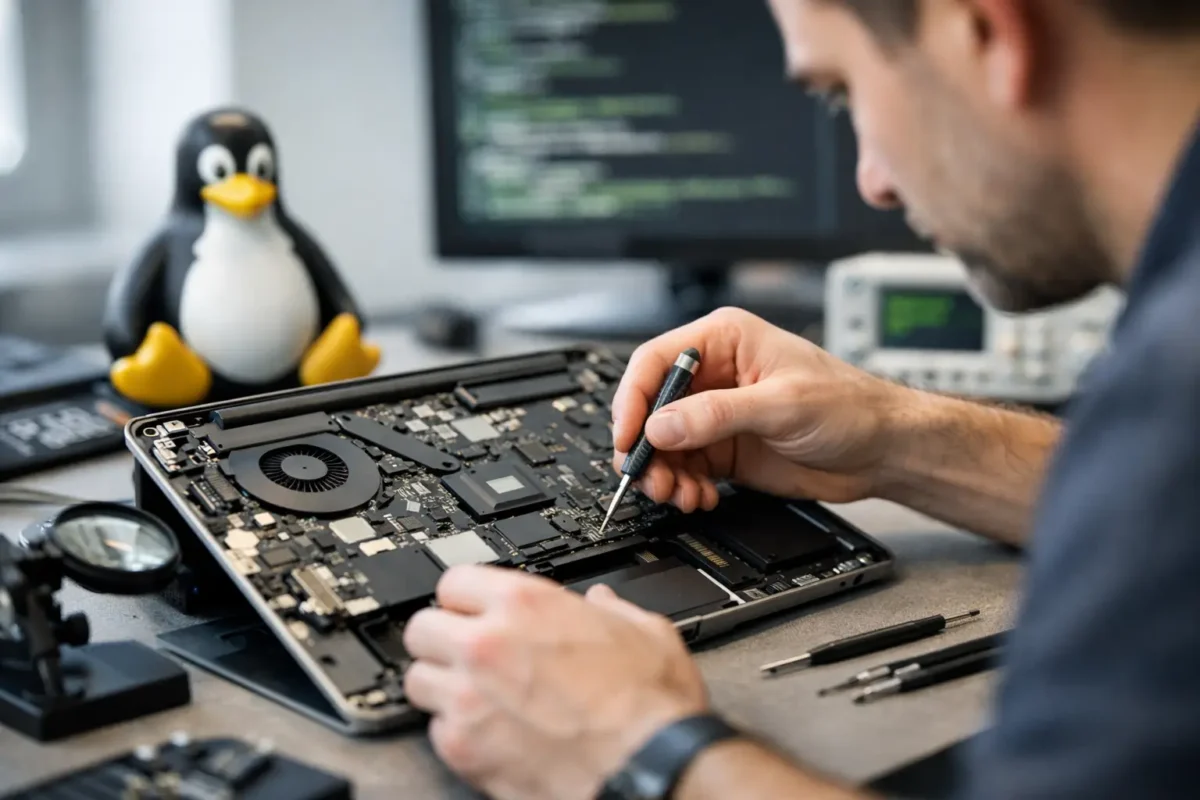
When a Linux machine fails, the problem usually does not fit the script used by a typical repair counter. The laptop may boot to a black screen after a kernel update, refuse to charge even though the battery is healthy, overheat under light workloads, or drop Wi-Fi because of a driver issue that only shows up on certain chipsets. A real linux laptop repair service has to handle both hardware faults and OS-specific behavior, because with Linux, those two worlds often overlap.
That matters more than people think. Plenty of shops are comfortable replacing a cracked screen or a dead keyboard. Fewer are willing to diagnose why suspend broke after firmware changes, why the NVMe drive disappears intermittently, or why a machine powers on but never hands off cleanly to the bootloader. If the technician only knows generic laptop repair, you can end up with a part swap that does nothing or a recommendation to replace a machine that is still worth saving.
What makes Linux laptop repair different
Linux laptops are not inherently fragile. In many cases, they are more stable and more maintainable over the long haul than consumer systems loaded with vendor bloat. The challenge is that Linux users often run a wider range of hardware, distributions, kernels, and custom configurations. That adds variables to the diagnosis.
A failing USB-C charging circuit can look like a software power-management issue. A graphics problem might be tied to a damaged GPU power rail, or it might be a driver mismatch after an update. A system that appears dead could actually be posting, but failing at display output because of firmware settings, eDP cable damage, or GPU initialization problems. Good repair work starts by separating hardware failure from software behavior instead of guessing.
That is where deeper diagnostics matter. If a shop treats every issue as a simple parts problem, Linux users often get poor results. The right process checks board health, power delivery, thermals, storage integrity, memory behavior, firmware state, and the operating system environment before anyone declares the machine finished.
What a proper linux laptop repair service should actually do
A serious linux laptop repair service should begin with symptom verification, but it cannot stop there. The goal is to reproduce the failure, identify the fault path, and fix the root cause. Sometimes that leads to a straightforward repair. Sometimes it reveals a more complex board-level issue that a basic shop would never attempt.
Start with diagnosis, not assumptions
If the laptop is not charging, the battery is not always the problem. The issue may be a damaged DC-in circuit, a failed charging IC, bad USB-C negotiation, a blown fuse, or corrosion around the power stage. Replacing the battery first is fast, but fast is not the same as correct.
If the system crashes under load, a proper technician checks more than temperatures. They look at fan behavior, heatsink contact, VRM stability, storage health, RAM errors, firmware status, and whether the issue is tied to one kernel, one distro, or every environment tested. That tells you whether the repair belongs at the board level, the component level, or the software level.
Handle software and hardware together
Linux users often know enough to try their own fixes, which is good up to a point. Reinstalling packages, changing kernels, rebuilding drivers, and editing boot parameters can solve a lot. But when repeated software work does not change the symptoms, you need someone who can move beyond the terminal and onto the bench.
That bench work matters when the fault involves power rails, storage communication, display output, thermal shutdown, or soldered components. It also matters after liquid damage, impact damage, or intermittent faults that only show up after the board heats up. Those are not problems you solve with a reinstall.
Repair at the board level when it makes sense
Board-level repair is not always the answer, but when it is the right answer, it can save a valuable machine at a lower cost than full board replacement. Linux laptops are often worth preserving because they are customized, well-built, or tied to a workflow the user does not want to rebuild from scratch.
That is especially true for business systems, engineering laptops, mobile workstations, and older premium models with good Linux support. If the failure is isolated to charging, a damaged connector, a failed capacitor, a shorted rail, or another repairable board fault, replacing the entire motherboard may be unnecessary.
Common problems Linux laptop users bring in
Some failures are universal across all laptops, and some show up more often in Linux environments because users push their machines differently.
Power issues are near the top of the list. That includes no power, random shutdowns, charging failures, battery drain, and overheating. These can come from worn batteries and fans, but they can also point to damaged charging circuits, poor thermal transfer, failed regulators, or board contamination.
Display issues are another big category. You may see no backlight, corrupted output, external monitor problems, flicker, or a black screen after boot. Sometimes that is software. Sometimes it is a damaged screen cable, failed display circuitry, or GPU-related board trouble.
Storage and boot failures are also common. A laptop may fail to detect the SSD, hang during boot, throw filesystem errors, or lose data after instability. A strong repair process protects the drive, checks for hardware faults, and avoids making the situation worse with careless troubleshooting.
Then there are the machines that have already been to another shop. Those are often the hardest cases. Missing screws, damaged connectors, torn pads, poor thermal paste application, and random replacement parts can turn a fixable problem into a bigger one. That is why in-house technical work matters. The less a device gets bounced around, the better the odds of a clean repair.
When repair is better than replacement
A lot of customers come in expecting to be told their laptop is done. Sometimes it is. If the board is heavily corroded, the CPU and GPU are both integrated and badly damaged, or the cost of repair exceeds the realistic value of the machine, replacement may be the smarter move.
But that is not the default answer. If the laptop has a repairable board fault, a failed port, a damaged screen assembly, memory or storage trouble, or a thermal issue that has not killed the board, repair often makes financial sense. The same goes for systems with specialized Linux setups, encrypted storage, dev environments, or business tools that would take time to rebuild.
It depends on the hardware, the fault, and the customer’s goals. Some people want the lowest-cost path to basic operation. Others need the machine restored properly because downtime costs more than the repair. A good shop explains that trade-off clearly instead of pushing one answer for every case.
How to judge a repair shop before you hand over your laptop
The easiest way to spot a weak provider is to listen for shortcuts. If every problem gets the same answer, the shop is not diagnosing deeply enough. If they only talk about replacing assemblies and never mention testing, board condition, or fault isolation, that is another warning sign.
Ask whether they work on Linux systems routinely or only “support” them in theory. Ask whether they handle advanced diagnostics in-house. Ask what happens if the issue turns out to be board-level rather than a simple part replacement. Those answers tell you a lot.
Shops with real technical depth are usually comfortable discussing process. They can explain why a symptom points to charging circuitry instead of the battery, why a black screen may involve the display path instead of the operating system, or why a data-sensitive machine needs a careful approach before any reinstall is considered.
That practical honesty is what customers actually need. Not every repair is cheap, and not every device is savable. But every customer deserves a real diagnosis and a recommendation based on evidence, not convenience.
For Linux users, that standard matters even more. Your laptop may be a daily driver, a development box, a mobile workstation, or the center of your business operations. If it is worth keeping, it is worth putting in front of technicians who can think past canned fixes and do the hard work properly. Amazing Technology Group Inc. built its reputation on exactly that kind of repair – real diagnostics, in-house technical skill, and solutions for machines other shops write off.
The best outcome is not just getting the laptop to power back on. It is getting it back stable, tested, and fixed for the reason it failed in the first place.