

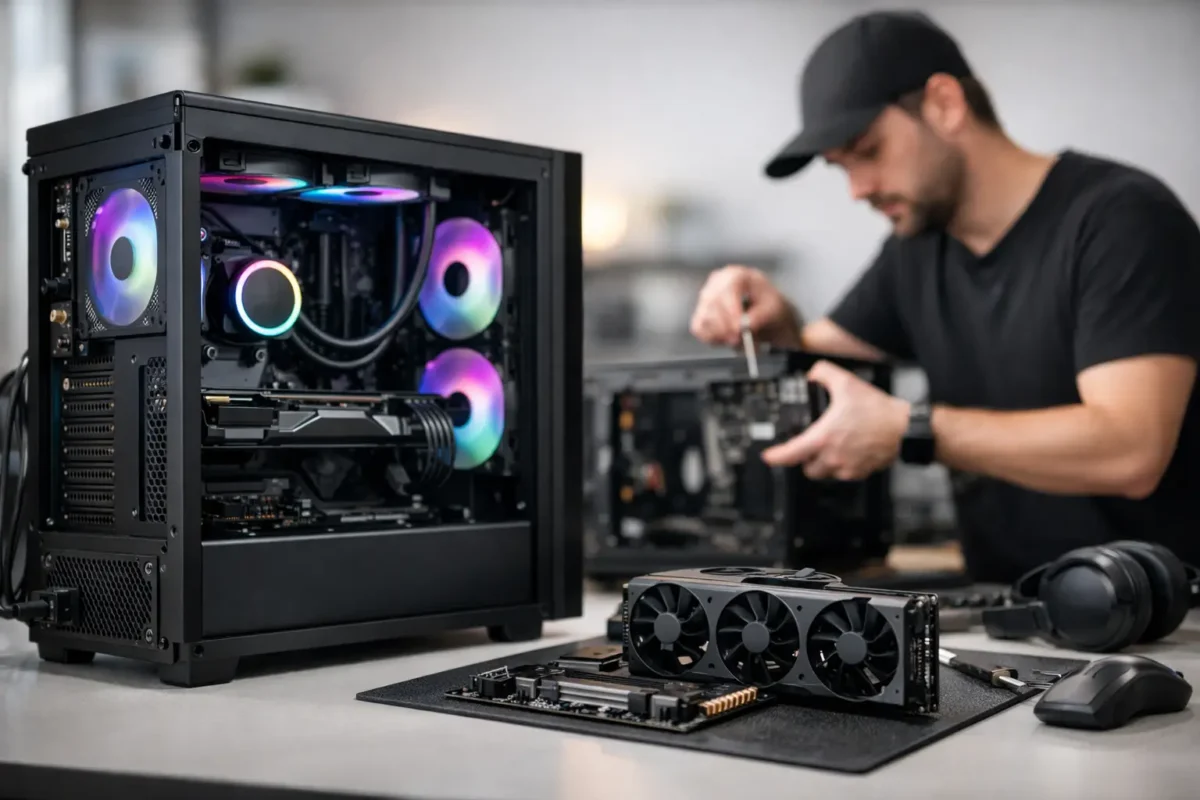
A gaming PC should not feel like a gamble. Too many people spend serious money on high-end parts, only to end up with a system that runs hot, crashes under load, bottlenecks in the wrong places, or gets built around flashy specs instead of real performance. That is where a custom gaming pc build service earns its keep. You are not just paying someone to screw parts into a case. You are paying for system design, compatibility planning, clean assembly, thermal management, tuning, and testing that gives you a machine built to do the job right.
What a custom gaming pc build service should actually include
A real build service starts before a single box is opened. The first step is figuring out what the system needs to do. Competitive 1080p gaming, maxed-out 1440p settings, 4K single-player performance, sim racing, VR, streaming, content creation, or a mix of all of it will each push the parts list in a different direction.
That matters because the best gaming PC is not the one with the most expensive parts. It is the one with balanced parts. A strong GPU paired with the wrong CPU can leave frames on the table. Too little cooling can throttle performance. Cheap power delivery can create instability. Even the case choice matters more than many people realize, because airflow and internal layout affect both temperatures and noise.
A proper service should cover consultation, parts matching, assembly, cable management, BIOS setup, operating system installation if requested, driver configuration, stress testing, and final verification. If overclocking or performance tuning is part of the job, that should be approached carefully, with stability first. Pushing numbers for bragging rights means nothing if the system fails during a long gaming session.
Why custom builds go wrong when they are rushed
A lot of bad builds look good in photos. That is the trap.
RGB lighting, an expensive graphics card, and a glass panel do not tell you whether the memory is configured correctly, whether the CPU cooler is mounted with proper pressure, whether fan curves make sense, or whether the power supply is sized for real-world loads. The weak points usually show up later as blue screens, random shutdowns, poor thermals, storage issues, or annoying noise that makes the whole setup feel cheap.
This is where technical experience makes a difference. A team that already works on failed motherboards, damaged GPUs, thermal issues, and unstable systems sees the mistakes from the other side every day. That background changes how a system gets built. It leads to better planning up front, cleaner execution, and fewer expensive surprises later.
The value of expert part selection
Most buyers start with the graphics card, and that makes sense. But a gaming rig is a system, not a single part. The CPU, motherboard, RAM speed and capacity, SSD selection, cooling, and power supply all affect the final result.
For example, some builds need more CPU headroom because the owner plays competitive shooters at high frame rates. Others need more GPU budget because the target is cinematic AAA gaming at 1440p or 4K. Some customers need extra storage for large game libraries. Others want quieter cooling because the PC sits on a desk a few feet away. There is no universal parts list that works for everyone.
A good custom gaming pc build service asks the right questions first. What monitor are you using? What games do you actually play? Are you streaming? Do you care more about raw FPS, low noise, upgrade path, or appearance? Are you trying to reuse any existing hardware? Those answers shape a smarter build than any copy-paste recommendation ever will.
Assembly is only part of the job
Building the machine is the visible part. The invisible part is what separates a solid rig from a headache.
BIOS updates, memory profile setup, thermal paste application, fan orientation, cooler clearance, front panel wiring, SSD configuration, and stability testing all matter. If one of those steps is skipped or handled carelessly, the user may not notice on day one. They will notice when the game stutters, the system overheats, or the machine refuses to boot after a simple update.
Testing is especially important. A new PC should be put under load before it goes home. That means checking CPU and GPU thermals, verifying storage health and speed, confirming RAM stability, and making sure the system behaves properly under sustained gaming-style workloads. This catches problems while they are still easy to fix.
Custom gaming PC build service for upgrades, not just new rigs
Not every customer needs a full new build. Sometimes the right move is upgrading an existing system that still has good bones.
A GPU upgrade may make perfect sense if the power supply and CPU can support it. A storage upgrade can transform everyday use. A cooling upgrade can reduce throttling and noise. In other cases, trying to patch an aging platform is wasted money, and a fresh build is the better long-term call.
That is another place where honest technical guidance matters. A service-first shop should tell you when an upgrade is smart and when it is not. The goal is not to sell the biggest invoice. The goal is to put the customer into a stable, high-performing system with the best value for the budget.
Who benefits most from a professional build
First-time PC owners get the obvious benefit of avoiding costly mistakes. But experienced gamers use build services too, especially when they do not want to spend hours troubleshooting firmware issues, tracking down compatibility problems, or dealing with cable routing and thermal tuning.
Parents buying for a younger gamer also benefit because they need a machine that works without drama. So do streamers and creators who need gaming performance and production stability in the same system. Small businesses sometimes need high-performance workstations that overlap with gaming-class hardware as well, especially for 3D, editing, and simulation tasks.
For local customers in Riverside County, having access to a team that also handles advanced diagnostics and repair adds another layer of confidence. If a part acts up, the same technical bench that builds systems can often troubleshoot the failure properly instead of defaulting to blind replacement.
What to ask before you hire a builder
If you are comparing providers, ask how they choose parts, how they test systems, and whether they can support upgrades or troubleshooting after the build is complete. Ask whether tuning is included, whether thermals are validated, and whether they are comfortable handling advanced hardware instead of only basic office systems.
It is also fair to ask how problems are handled. If a system shows instability, do they actually diagnose it or just swap parts until something works? There is a big difference between assembly labor and real technical service. One builds the PC. The other stands behind the machine when things get complicated.
That distinction matters even more with high-end hardware. Once budgets climb, small mistakes get expensive fast. A bad power decision, poor cooling setup, or unstable memory configuration can turn a premium build into an ongoing support issue.
The best build is the one that fits your use case
There is always a temptation to overspend. Bigger numbers look good on paper. But smart builds are built around the screen, the games, the workload, and the upgrade plan.
A well-targeted midrange system can feel better than an overpriced high-end rig if the parts are chosen with purpose. Better airflow, better tuning, lower noise, and stronger reliability improve the experience every single day. On the other hand, if you are aiming for top-tier performance, the build should be designed to support that level properly, with the right cooling, power, and board quality to match.
That is the real point of professional help. A custom build should not just boot. It should make sense.
Amazing Technology Group approaches custom systems the same way it approaches difficult repair work – with real diagnostics, hands-on technical skill, and no shortcuts. That matters whether you are building your first gaming rig or replacing a machine that has already let you down.
If you are investing in a gaming PC, build it once, build it right, and make sure the people putting it together understand the difference between parts that look impressive and a system that actually performs when it counts.