

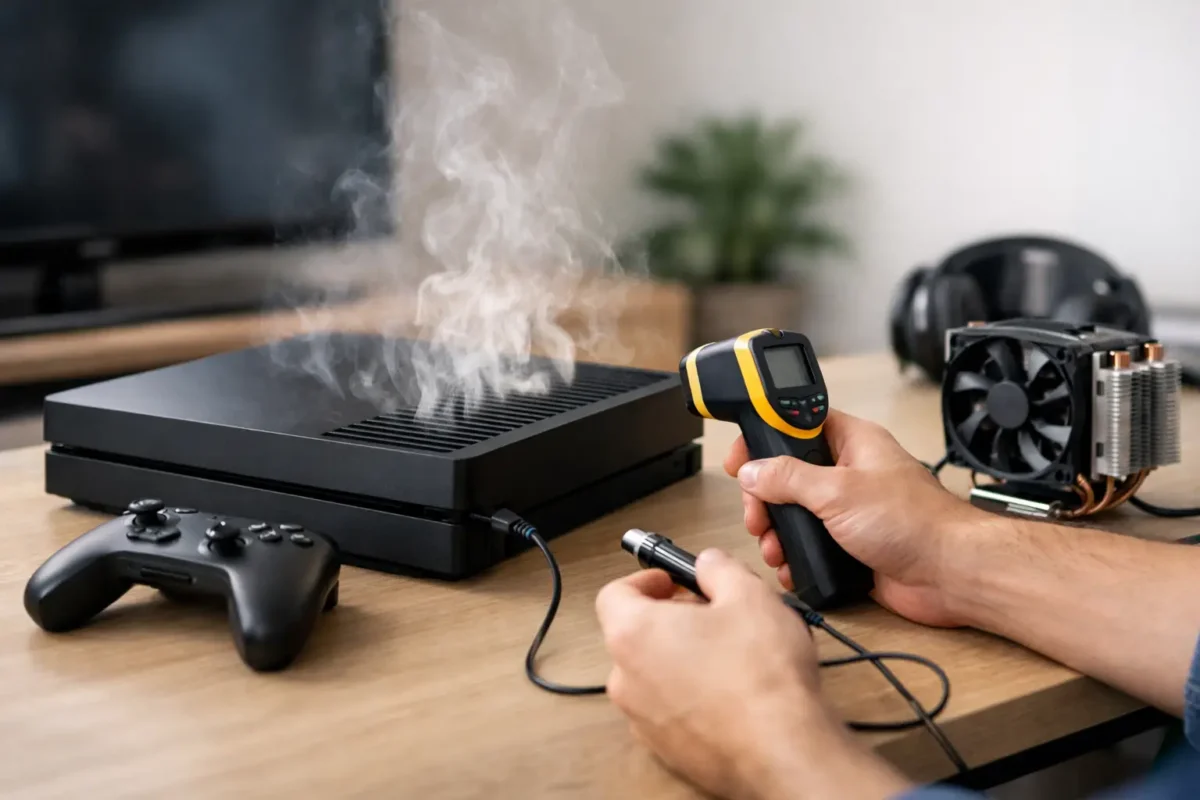
A console that sounds like a jet engine, throws heat out the vents, or shuts down in the middle of a match is not just running hot – it is telling you something specific. Knowing how to diagnose console overheating starts with separating normal heat from a real fault, because modern systems do run warm under load. The goal is not to guess. It is to identify whether the problem is airflow, fan control, thermal transfer, power delivery, or a deeper board-level issue.
What overheating actually looks like
Not every warm console is overheating. A PS5 or Xbox Series X can exhaust very hot air and still be operating normally if internal temperatures stay within spec. Real overheating usually shows up as a pattern: sudden shutdowns after 10 to 40 minutes, thermal warnings on screen, loud fan behavior that ramps hard and stays there, severe performance throttling, or heat concentrated in one area of the chassis.
The timing matters. If the console overheats only during demanding games, the issue may be reduced cooling efficiency rather than a total fan failure. If it overheats even at the menu or during updates, the fault is usually more serious. That points toward blocked airflow, failed thermal contact, sensor problems, or power circuitry generating excess heat.
Start with the environment before opening anything
A proper diagnosis begins outside the console. Placement causes more problems than most people expect. If the unit is inside a tight entertainment center, pressed against a wall, sitting on carpet, or covered in dust, you may be looking at restricted airflow rather than an internal defect.
Move the console into an open area with several inches of clearance on all vented sides. Power it off fully, let it cool, and inspect the vents with a light. If you see dust packed into the intake or exhaust path, that alone can raise temperatures enough to trigger shutdowns. The same goes for pet hair, smoke residue, and oily buildup, which can trap heat and stick to the heatsink.
Then pay attention to room conditions. High ambient temperature makes a marginal cooling system fail faster. A console that behaves fine in a cool room but overheats in a hot upstairs bedroom is still showing a cooling weakness, even if the environment is helping expose it.
How to diagnose console overheating by symptoms
The fastest way to narrow the fault is by matching symptoms to likely causes. That is how experienced repair techs avoid replacing the wrong parts.
If the fan is extremely loud from startup, the system may be detecting heat correctly but struggling to remove it. Dust-clogged heatsinks, dried thermal paste, warped pressure contact, or partially obstructed airflow are common here. If the fan is quiet or inconsistent while the console gets dangerously hot, that suggests fan failure, fan control issues, a damaged connector, or sensor reporting problems.
If shutdowns happen only under heavy graphics load, suspect poor heat transfer from the processor to the cooler. If the console powers off randomly with little warning and the chassis is not especially hot overall, the issue may be on the power side instead. A failing power supply, VRM issue, or damaged board component can create heat in a localized area and mimic classic overheating.
That distinction matters. Real diagnostics are about identifying where the heat starts, not just where you feel it.
Check fan behavior and airflow first
Before assuming the worst, verify the basics. With the console powered on, listen for fan startup. Most systems should show some fan activity during boot or shortly after. Hold your hand near the exhaust. You should feel steady airflow, not weak pulses or almost nothing.
A fan can fail completely, but partial failure is common too. Worn bearings, damaged blades, dust imbalance, or low voltage to the fan can reduce cooling long before the fan stops spinning entirely. Grinding noise, chirping, or fan speed surging up and down are all warning signs.
If airflow is weak but the fan sounds like it is working hard, the heatsink may be packed with debris. On many consoles, dust collects deeper inside than the outer vents suggest. A clean exterior does not always mean a clean cooling path.
Thermal paste and heatsink contact are common failure points
Older consoles and heavily used systems often develop poor thermal transfer between the processor and the heatsink. Thermal paste dries out, pump-out happens over time, and mounting pressure can become uneven. When that happens, the chip heats up fast, the fan ramps aggressively, and shutdowns start showing up during gameplay.
This is one of the most misdiagnosed issues because people assume any heat problem is just dust. Sometimes it is. Sometimes the console is clean and still overheating because heat is no longer moving efficiently into the cooler.
The trade-off is that opening the console to inspect paste and heatsink contact carries risk. Some systems are straightforward. Others are easy to damage if you are not used to delicate ribbon cables, shielding, or pressure assemblies. If the symptom pattern points here and the console is valuable, this is where many owners are better off having it inspected by a repair shop that does real internal diagnostics instead of guessing.
When overheating is really a power or board issue
This is where experience matters. Not every overheating complaint is a cooling problem. We see consoles where a power rail runs hot due to failing MOSFETs, regulators, shorted capacitors, or stressed solder joints. In those cases, replacing paste or cleaning fans will not fix the root cause.
Board-level faults often show a different pattern. The console may shut down unpredictably, overheat faster than expected, fail to regulate fan speed properly, or develop one abnormally hot zone on the motherboard. Sometimes the system log or error history points to thermal events, but the real issue is unstable power delivery creating excess heat near the CPU, GPU, or VRM section.
That is why temperature symptoms should not be treated as proof of one specific part failure. A proper diagnosis may involve checking fan voltage, measuring current draw, inspecting thermal surfaces, and using thermal imaging or targeted probing to find hotspots. That is the difference between repair and parts roulette.
Console-specific patterns to watch
Different models fail in different ways. PS4 systems are well known for heavy dust buildup and dried thermal material, especially after years of use. A PS4 that gets loud immediately and starts throwing overheating warnings often needs more than a surface cleaning.
PS5 systems can also run hot, but the layout is different and diagnosis should account for liquid metal condition, fan contamination, vent blockage, and power section behavior. Xbox One and Xbox Series models can show overheating through abrupt shutdowns, error messages, or aggressive fan response, but similar symptoms can still come from different root causes.
The key point is this: model knowledge speeds up diagnosis, but it should not replace testing. Two consoles with the same symptom can fail for completely different reasons.
Safe checks you can do at home
If you want to know how to diagnose console overheating without making things worse, stay with non-invasive checks first. Test the console in a well-ventilated area. Listen to fan behavior during idle and during a game. Feel for consistent exhaust airflow. Note how long it takes for the problem to appear and whether it happens only under load.
Also check for dust at visible vents, confirm that no external accessories are blocking airflow, and make sure the power supply area is not being smothered by clutter. If the issue improves noticeably after moving the console and cleaning the exterior vents, you may have caught it early.
What you should avoid is blowing debris deeper into the console with uncontrolled compressed air, running the unit half-disassembled without understanding airflow paths, or replacing parts based on internet guesses. Those shortcuts often turn a heat complaint into a bigger repair.
When to stop troubleshooting and get it professionally diagnosed
If the console is shutting down repeatedly, showing overheating warnings, making unusual fan noise, or staying hot after basic cleaning and repositioning, it is time for a proper bench diagnosis. The same goes for any system that was recently dropped, had liquid exposure, or was previously worked on by someone else.
A qualified repair shop should be able to tell you whether the problem is maintenance-related, part-related, or board-related. That matters because the repair path and cost can be very different. A fan replacement is not the same job as rebuilding damaged traces or addressing a power section fault.
At Amazing Technology Group, this is exactly where in-house diagnostics make a difference. When a console overheats, the real job is not just getting it cooler for a day. It is finding out why it is running hot and fixing the failure at the right level.
Heat is a symptom, not a diagnosis. If you treat it that way, you have a much better chance of saving the console and avoiding unnecessary replacement.