

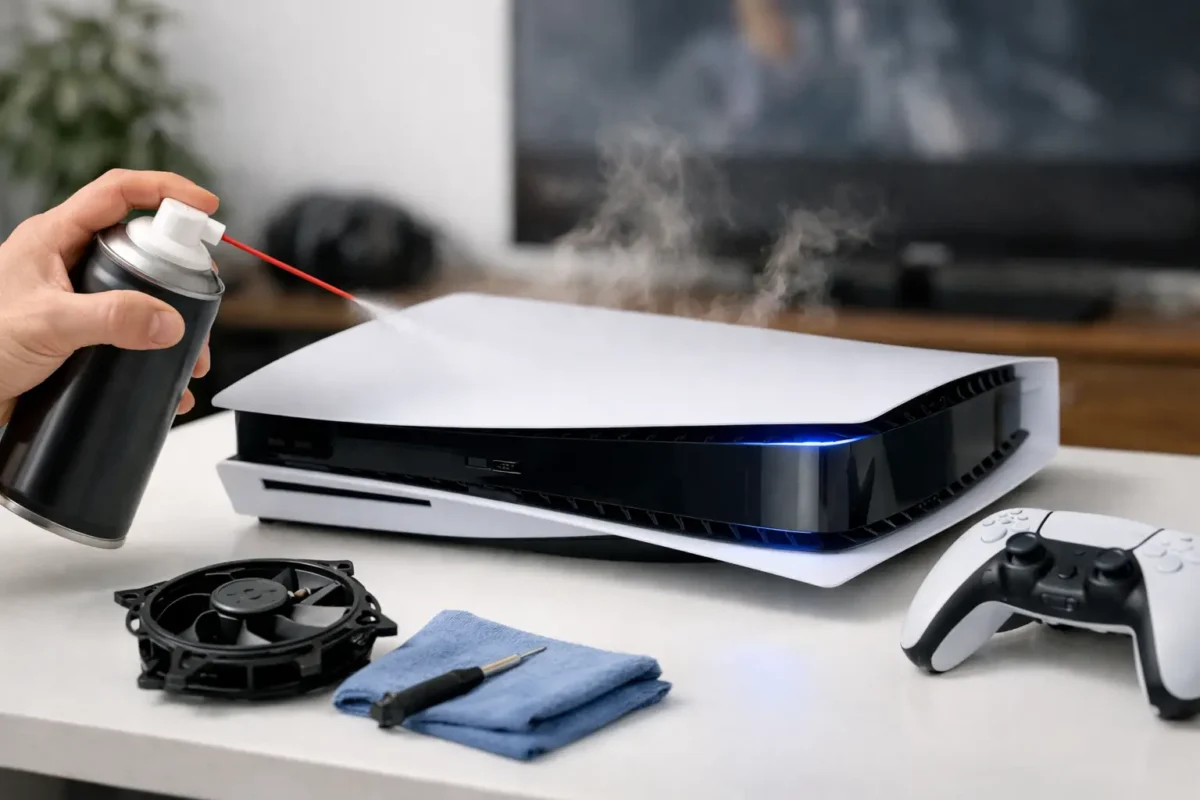
A PS5 that suddenly shuts down, flashes an overheating warning, or runs like a small jet engine is telling you something useful: heat is not leaving the system the way it should. Knowing how to fix PS5 overheating starts with separating a simple airflow problem from a hardware fault that needs real diagnosis. Throwing more fans at the room or repeatedly restarting the console will not repair a blocked heatsink, failing fan, or compromised thermal system.
Start by recognizing real overheating
Not every loud PS5 is overheating. Some consoles are naturally louder during demanding games, especially titles that push graphics hard for long sessions. A loud fan alone can mean the system is moving heat correctly. The concern starts when the console displays a temperature warning, abruptly powers off, becomes extremely hot around the rear exhaust, or repeatedly crashes only while gaming.
A shutdown after 20 to 60 minutes of play is a common overheating pattern. The console may work normally at the menu, while streaming video, or during a short game session, then fail once internal temperatures build. If it shuts down and will not power back on until it cools, treat that as a heat-management issue until proven otherwise.
There is another important distinction. A PS5 that turns off instantly with no heat warning can have a power supply, motherboard, or electrical fault. It may still need professional service, but cleaning the fan will not automatically solve it.
Give the PS5 room to exhaust heat
Before opening anything, inspect where the console lives. The PS5 pulls in cool air and pushes hot air out through its rear vents. If that exhaust is trapped in a tight cabinet, against a wall, or behind a TV, the console can end up recycling its own hot air.
Move it into an open area with several inches of clearance around the sides and rear. Do not place clothing, papers, controllers, or other equipment on top of it. If it sits in an entertainment center, leave the cabinet doors open during play or relocate the console entirely. A small cabinet fan may improve room ventilation, but it is not a substitute for fixing a dirty or defective console.
The PS5 is designed to operate horizontally or vertically with its proper stand. Changing orientation may help with a specific shelf setup, but it is not a cure for a genuine thermal fault. Focus on unrestricted airflow, not internet myths.
Clean the exterior first
Power the PS5 off fully, disconnect the power cable, and let it cool before cleaning. Never work on a hot console or spray cleaner directly into vents.
Use a soft brush and compressed air in short, controlled bursts to remove dust from the rear exhaust and intake areas. Hold the can upright so it does not discharge liquid propellant. Work in a ventilated area and avoid forcing dust deeper into the console.
This basic cleaning can make a meaningful difference when dust is only collecting around the vents. It will not reach every internal restriction, though. Fine dust often builds behind the fan and along the heatsink fins, where it forms a felt-like mat that blocks air even when the outside of the console looks clean.
If you smoke, have pets, use the console near carpet, or live in a dusty area, inspect it more often. Pet hair mixed with household dust is especially effective at choking cooling systems.
Check the fan, panels, and accessible dust traps
The PS5 side panels can be removed for routine cleaning, but use care. Once the system is powered down and unplugged, remove the panels according to the model’s intended release direction. Do not pry aggressively or force clips.
With the panels off, inspect the visible fan area and dust collection openings. If you can clearly see lint or hair around the fan blades, remove it gently with a soft brush. Keep the fan from spinning wildly under compressed air. Overspinning a fan can damage its bearing or generate unwanted electrical current.
A fan that does not spin freely, makes a grinding sound, pulses erratically, or remains unusually quiet while the console becomes hot may be failing. That is not a cleaning issue. The fan itself, its connector, or the circuit controlling it needs to be tested.
Avoid pushing tools deep into the console. A damaged fan blade, torn connector, or misplaced screw can turn a manageable service visit into a larger repair.
Do not guess at the internal thermal system
This is where many do-it-yourself PS5 overheating repairs go wrong. The PS5 uses a sophisticated cooling assembly, including liquid metal thermal interface material on the processor. It is not the same job as replacing thermal paste on an older PC or console.
Liquid metal is electrically conductive. If it is mishandled, contaminated, allowed to migrate, or reassembled incorrectly, it can damage the motherboard. The cooling system also depends on correct mounting pressure, protective barriers, thermal pads in the right locations, and a clean heatsink path. Replacing materials because a video made it look easy can create a failure that was not there before.
A console with recurring heat warnings after external and fan-area cleaning may have a blocked internal heatsink, degraded thermal contact, damaged pads, a cooling-assembly issue, or a board-level fault affecting fan control or temperature monitoring. These problems require proper disassembly, inspection, testing, and reassembly – not a blind part swap.
Rule out the easy environmental causes
Heat around the PS5 is normal. Heat that has nowhere to go is not. Check the room temperature, the cabinet layout, and nearby heat sources. A console operating beside an amplifier, radiator, sun-facing window, or another high-output gaming system has a harder job from the start.
Also check the power cable and outlet condition. Do not use a damaged cable, overloaded power strip, or loose outlet. Electrical problems can imitate console instability, even though they are not technically overheating.
Keeping system software current is reasonable maintenance, but do not expect an update to clear a persistent overheat warning caused by dust or a mechanical failure. Software can address bugs. It cannot restore airflow through a packed heatsink.
When a PS5 needs professional diagnosis
It is time for professional service when the console continues to overheat in an open, clean environment, shuts down during games after basic cleaning, has a loud or faulty fan, or has already been opened and still has the same problem. It is also time to stop if you see liquid metal residue, damaged connectors, corrosion, burning odor, or evidence of a previous poor repair.
A proper repair process starts with diagnosis, not assumptions. A technician should inspect airflow, fan condition, heatsink blockage, internal thermal interfaces, power behavior, sensor response, and motherboard condition. Depending on what is found, the repair may involve deep cleaning, fan replacement, cooling-system service, connector repair, or component-level board work.
That diagnostic approach matters because overheating is a symptom, not a single repair. Replacing a fan when the fan circuit is faulty wastes money. Reapplying thermal material when the heatsink is packed with debris misses the restriction. Replacing the whole console when a repairable board issue exists is often the most expensive shortcut.
For PS5 owners in Riverside County, Amazing Technology Group handles in-house diagnostics and advanced console repair, including difficult faults that ordinary part-swapping shops may decline. The goal is to identify the actual cause, explain the repair path clearly, and restore reliable operation without unnecessary replacement.
Prevent the next overheating shutdown
Once the console is running normally, keep the area around it open and clean its vents regularly. The right interval depends on the environment. A PS5 in a clean, open room may only need periodic inspection, while a console near pets, carpet, or smoke may need attention every few months.
Do not wait for a shutdown warning to act. If fan noise changes sharply, the rear exhaust weakens, games begin crashing after long sessions, or the console becomes hotter than usual, address it early. A little preventive cleaning and an honest diagnosis when symptoms persist can protect a console that is still very much worth repairing.