

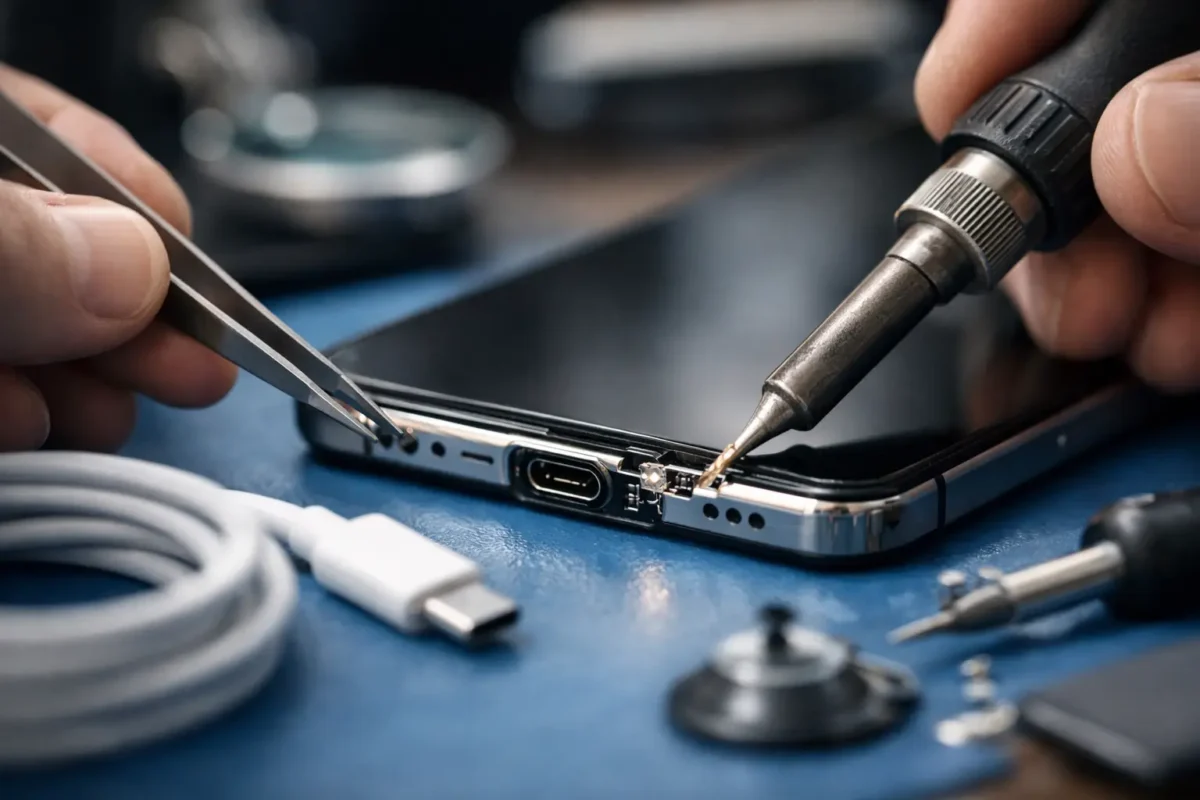
A USB-C cable that only charges at a certain angle is not a minor annoyance. It is often the first warning that the port, the charging circuit, or the board beneath it is starting to fail. Repairing USB-C charging ports correctly means finding the actual point of failure before replacing parts, because a new port will not solve a damaged charging controller, broken circuit trace, or liquid-corroded board.
USB-C is now used across laptops, phones, tablets, handheld gaming systems, controllers, docks, DJ gear, and other high-value electronics. That convenience comes with a downside: the connector is small, carries power and data through many tiny contacts, and can be damaged by repeated stress, debris, moisture, or a bad cable. The right repair can restore a device that would otherwise be written off. The wrong repair can waste money and create a bigger board-level problem.
Why USB-C Charging Ports Fail
The most common issue is physical wear. USB-C ports are designed for repeated use, but they are not indestructible. Pulling a cable sideways, using the device while it hangs from a charger, forcing a connector into a dirty port, or dropping the device with a cable attached can loosen or crack the port’s solder joints.
Pocket lint is another frequent cause. Compacted debris settles at the back of the port and prevents the plug from seating fully. The cable may feel connected, yet the contacts are not making reliable electrical contact. Before assuming the port needs replacement, a technician should inspect it under magnification and clean it safely. Digging into the port with a pin, paper clip, or sharp tool can bend internal contacts and turn a cleaning issue into a replacement job.
Liquid exposure changes the equation. Even a small amount of moisture can corrode the port pins and spread corrosion onto nearby components. A device may continue working for days or weeks after exposure, then develop intermittent charging, heat, battery drain, or complete power failure. In those cases, replacing the connector alone may not be enough. The board needs to be inspected for corrosion and electrical damage.
Then there are failures that look like a bad port but are not. A worn cable, underpowered charger, failed battery, damaged charging IC, blown fuse, bad power-management circuit, or failed USB-C controller can all produce the same customer complaint: “It will not charge.” That is why diagnosis matters.
Repairing USB-C Charging Ports Starts With Diagnosis
A real repair process begins by confirming the symptom. Does the device charge with a known-good cable and power adapter? Does it charge slowly, disconnect when moved, show a moisture warning, or power on but fail to negotiate fast charging? Can it transfer data? These details help narrow down whether the fault is mechanical, electrical, or software-related.
The next step is a close visual inspection. Under magnification, a technician can look for packed debris, bent contact pins, a cracked port housing, damaged solder joints, missing pads, corrosion, or heat damage. On many devices, the port is mounted to a small daughterboard that can be replaced as an assembly. On others, especially laptops, game consoles, and professional equipment, the USB-C connector is soldered directly to the main board.
Board-mounted ports require a different level of work. The failed connector must be removed without lifting pads or overheating nearby components. The board then needs pad inspection, trace repair when necessary, precise alignment of the replacement connector, and soldering under magnification. Afterward, the repair is tested for power delivery, charging stability, orientation detection, data function, and physical fit.
This is where component-level repair separates itself from simple part swapping. If a solder pad has torn away from the board, installing another port without rebuilding the connection will not restore function. If a shorted charging IC is pulling down the power rail, a new connector will not fix it. A skilled technician follows the circuit, checks voltage and resistance readings, and repairs the failure that is actually present.
When a Port Replacement Is the Right Fix
A USB-C port replacement is often the right answer when the connector is visibly loose, the cable will not latch securely, the internal tongue is damaged, pins are bent, or charging cuts in and out when the plug moves. It is also appropriate when cleaning cannot remove corrosion or debris without risking further damage.
It depends on the device design. A daughterboard replacement can be relatively straightforward if the replacement part is available and there is no damage elsewhere. A main-board port repair takes more labor and more technical precision, particularly on tightly packed laptops, handheld consoles, tablets, and professional DJ equipment.
The repair becomes more involved when the port has been ripped from the board. A hard impact can tear copper pads and traces away with the connector. Those traces may need to be rebuilt with micro-soldering wire before a new port can be installed. This is still repairable in many cases, but it is not a quick connector swap.
Signs You Should Stop Using the Charger
Continuing to force a failing connection can damage the device further. Stop using the port and have it checked if you notice any of these signs:
- The cable gets unusually hot at the connector or the device becomes hot while charging.
- Charging works only when the cable is held at a specific angle.
- The device repeatedly connects and disconnects or makes charging notification sounds nonstop.
- There is a burning smell, visible discoloration, green or white corrosion, or a loose internal port piece.
- Several known-good cables and chargers fail in the same device.
Heat deserves special attention. USB-C can carry substantial power, particularly on laptops and fast-charging equipment. A loose or contaminated connection creates resistance, and resistance creates heat. Do not keep testing a hot port by wiggling the cable. Disconnect power and get it inspected.
What a Proper USB-C Repair Should Include
A dependable repair is more than installing a connector and checking whether a battery icon appears. The device should be tested with appropriate power sources and cables after the work is complete. Depending on the device, that may include standard charging, USB Power Delivery negotiation, fast-charge behavior, data transfer, external display output, and port orientation.
For laptops and advanced electronics, technicians should also verify that the port is not causing a short on the main power rail. A device can appear to charge briefly while an underlying fault is stressing the charging circuit. Finding that issue before return protects both the device and the customer.
At Amazing Technology Group, difficult port failures are handled with in-house diagnostics and board-level repair rather than guesswork. That matters when a device has lifted pads, corrosion, a damaged charging circuit, or an issue that a standard shop has already declined. Customers should receive a clear explanation of what failed, what the repair requires, and whether the cost makes sense compared with replacement.
Can You Prevent USB-C Port Damage?
You cannot eliminate wear, but a few habits make a real difference. Use quality cables that fit firmly without excessive force. Avoid charging while a laptop, controller, or handheld device is hanging from the cable. Keep connectors out of dusty pockets and bags, and do not use metal objects to clean a port. If a plug suddenly feels loose or requires more pressure than normal, stop and inspect it instead of forcing it.
For business equipment, DJ gear, and gaming setups that move frequently, cable strain relief is worth the effort. Route cables so they are not carrying the weight of the device or getting pulled across a desk, booth, or workstation. A small change in cable management can prevent a major board repair later.
A failed USB-C port does not automatically mean the device is finished, but it does call for the right level of attention. Early diagnosis usually gives you more repair options, lower risk of board damage, and a better chance of getting your equipment back to dependable service.