

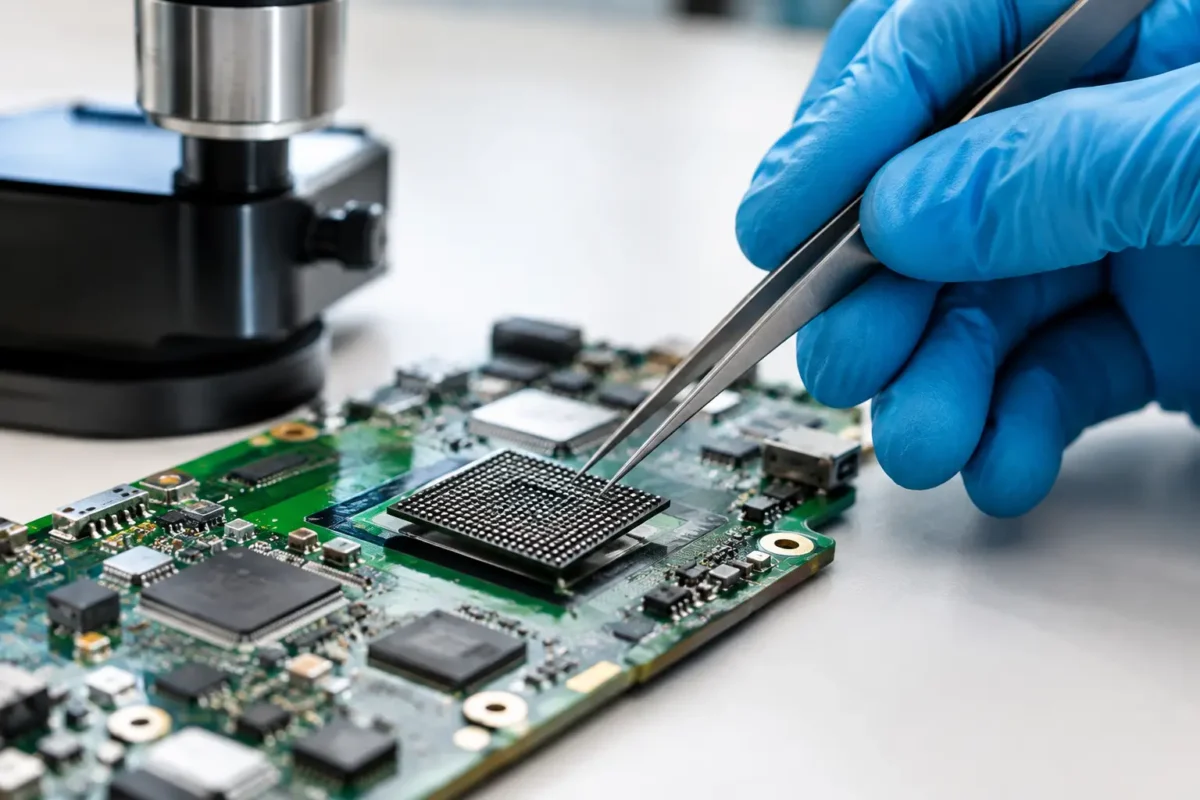
A BGA chip does not have to be removed just because a device will not boot, display video, charge, or stay powered on. The best BGA rework alternatives often start with proving whether the BGA is actually at fault. That matters because removing a chip from a multilayer board brings real risk: lifted pads, damaged traces, warped PCB layers, and a repair bill that may not make sense for the device.
At Amazing Technology Group, we treat BGA work as a precision repair option, not a default answer. A proper diagnosis can reveal a failed power rail, shorted capacitor, corroded component, damaged connector, bad firmware, or a cracked solder joint elsewhere on the board. Fixing the actual failure is usually more reliable and more cost-effective than heating a large chip and hoping the symptom disappears.
Why BGA Rework Is Not Always the Right First Move
Ball grid array components are used in processors, graphics chips, memory controllers, Wi-Fi modules, storage controllers, and other high-density circuits. Their solder connections sit underneath the package, where they cannot be visually inspected or touched with a conventional iron. Rework requires controlled heating, accurate alignment, board support, thermal profiling, and post-repair testing.
That capability is valuable when the evidence points to the chip or its solder balls. It is not a substitute for electrical troubleshooting. A console with no video, for example, may have a damaged HDMI circuit, a power-management failure, a bad storage device, or corrupted system software. A laptop that powers on briefly may have a shorted capacitor on a main rail rather than a failed CPU or graphics processor.
The practical question is not, “Can this BGA be reworked?” It is, “What failure has been confirmed, and which repair restores reliable service without creating unnecessary risk?”
BGA Rework Alternatives Worth Considering
Component-Level Board Repair
For many devices, targeted board repair is the strongest alternative to BGA rework. This means locating and replacing the actual failed part around the BGA package: a capacitor, resistor, MOSFET, fuse, diode, coil, clock crystal, USB-C controller, HDMI component, or power-management circuit.
This work is often less invasive than removing a large processor or graphics chip. It also addresses the root cause when the BGA itself is still healthy. A shorted capacitor can pull down an entire voltage rail and make a good processor look dead. Replacing the capacitor and confirming that the rail returns to normal is a real repair, not a workaround.
Board-level diagnosis typically involves checking resistance to ground, looking for shorts, measuring voltage rails during startup, comparing signals against known-good behavior, and using thermal inspection when appropriate. The process takes skill and time, but it prevents customers from paying for the wrong repair.
Reballing Instead of a Simple Reflow
A heat-only reflow is sometimes presented as a cheap fix for suspected solder-ball cracking. The board is heated until the solder beneath the chip reconnects. It can work temporarily in certain cases, but it does not remove aged solder, clean contaminated pads, or correct an underlying design or thermal problem.
Reballing is different. The chip is removed, the board pads and chip pads are cleaned, new solder balls are applied, and the chip is reinstalled using a controlled profile. It is still BGA work, but it is often a better choice than reflow when a solder-joint failure has been confirmed and the chip itself is known to be good.
Reballing is not automatically permanent. If the device has poor cooling, a warped board, repeated mechanical stress, or an inherent chip defect, the same problem can return. It makes sense when diagnostics support a connection issue and the device has enough value to justify the labor.
Replace the Board or Module
Board replacement is not a lesser repair when the replacement part is verified, available, and reasonably priced. For some laptops, game consoles, controllers, DJ units, and business equipment, replacing a failed daughterboard or mainboard can be faster than extensive component-level work.
The trade-off is that replacement boards may be expensive, used, locked to the device, unavailable, or untested. They can also carry the same age-related weaknesses as the original. A replacement may require transferring serial information, pairing components, restoring firmware, or recovering data before the device is returned to service.
For a customer with critical files on a laptop or a specialized piece of professional equipment, a board swap may not preserve what matters most. In those cases, repairing the original board can be the smarter path even when it takes more diagnostic effort.
Repair the Thermal Problem First
Overheating can cause crashes, shutdowns, artifacting, and intermittent performance that customers often blame on a graphics chip. Sometimes the chip is fine, but the cooling system has failed to do its job. Dried thermal paste, clogged heatsinks, weak fans, damaged heat pipes, poor mounting pressure, or missing thermal pads can push a device beyond its safe operating range.
Correcting the thermal system is a genuine BGA rework alternative because it can prevent further damage and solve symptoms tied to heat. It is especially relevant for gaming laptops, consoles, custom PCs, and DJ equipment that runs long sessions in warm environments.
If a device only fails after it heats up, technicians should not jump straight to chip removal. Temperature behavior, fan operation, load testing, and thermal imaging can help separate cooling trouble from an internal BGA fault.
Firmware, Storage, and Signal Path Repair
Not every no-boot condition is hardware damage under a chip. Corrupt BIOS or UEFI firmware, failed NAND storage, damaged SSDs, bad memory, unstable power adapters, and broken display or HDMI signal paths can create nearly identical symptoms.
A board may power on with no image because it cannot complete initialization. A console may appear dead because storage corruption prevents a normal boot sequence. A laptop may cycle on and off because firmware is damaged or a peripheral rail is shorted. These failures need verification with the right tools and measurements, not guesswork based on the symptom alone.
Repairing firmware, replacing storage, restoring a signal path, or rebuilding a damaged connector area can be less costly and more durable than BGA rework. It also preserves the original processor package when there is no evidence that the package failed.
How a Technician Chooses Between the Options
The right repair depends on the device, the confirmed fault, parts availability, the board condition, and the customer’s goals. A high-value workstation, a current-generation console, or professional DJ gear may justify deeper board repair because replacement is expensive or difficult. An older consumer device with widespread corrosion or multiple prior repair attempts may not be economically repairable.
A serious diagnosis should establish whether the suspected BGA has the correct power rails, clock signals, reset behavior, and communication with surrounding circuits. It should also check for shorts, liquid damage, previous heat damage, and physical board flex. If those basics are missing, removing the BGA first is premature.
Customers should also ask about the expected outcome. Is the proposed service a temporary reflow, a full reball, a chip replacement, a surrounding-component repair, or a board replacement? Clear answers help set the right expectation on cost, turnaround time, warranty, and long-term reliability.
When BGA Rework Is Still the Best Answer
There are times when BGA rework is exactly what a device needs. A confirmed cracked solder connection, a failed graphics processor, a defective storage controller, or a known chip-level fault may require reballing or replacement. The key is that the decision follows evidence, not a guess based on a common internet diagnosis.
Experienced board technicians also evaluate whether the board can safely tolerate the process. Severe corrosion, missing pads, delaminated layers, or previous uncontrolled heating can change the risk substantially. Honest repair work includes saying when a repair is possible, when it is not advisable, and when another option gives the customer better value.
The best repair is the one that fixes the verified failure and gives the device a real chance at dependable service. Sometimes that means BGA rework. Just as often, it means finding the smaller fault that everyone else missed.