Computer Repair - Game Console Repair - Electronics Repair - Micro Soldering | !!! Now Open from 8am to 10pm Mon - Thurs =) !!!

Categories
Uncategorized

Mac Logic Board Repair: What to Expect

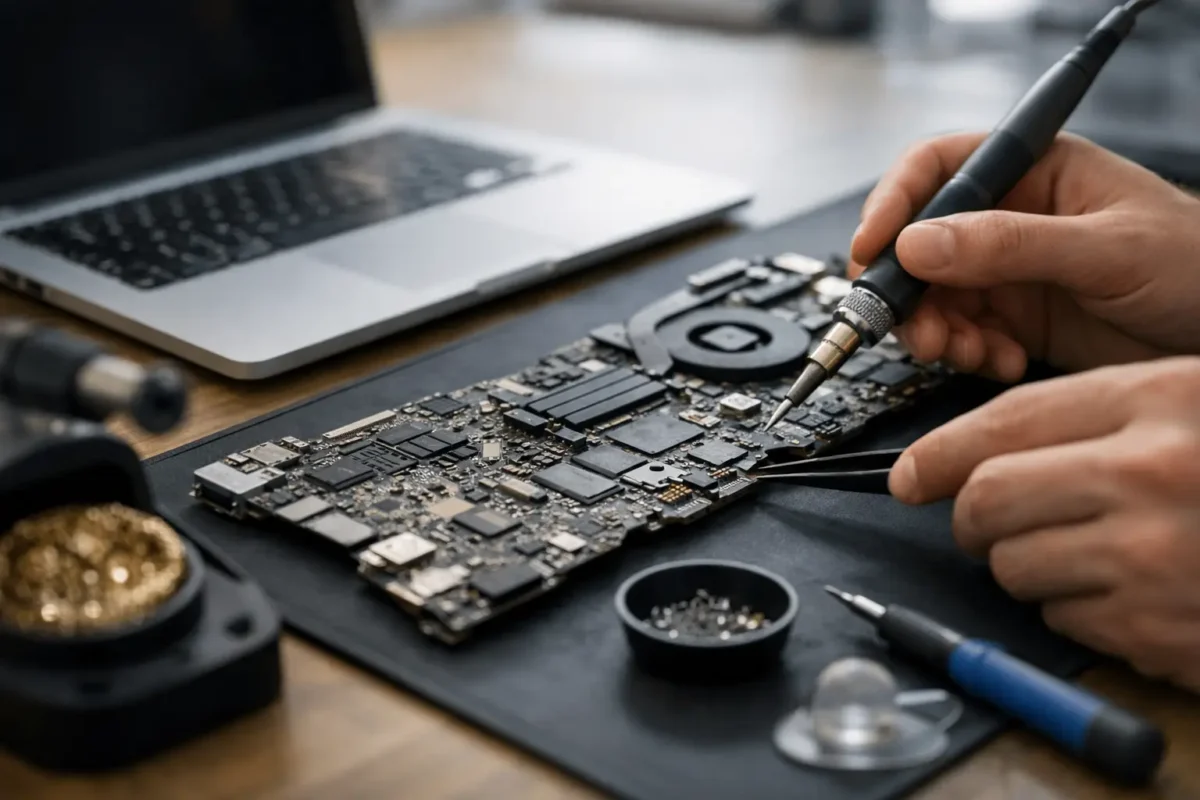
A Mac that suddenly stops charging, runs with no backlight, powers on to a black screen, or dies after liquid contact often gets labeled with the same expensive verdict – replace the whole board. That is exactly where mac logic board repair matters. In many cases, the real failure is not the entire board. It is one damaged circuit, a shorted rail, a failed controller, corrosion around a few components, or a broken solder connection that can be diagnosed and repaired by a shop that actually works at the board level.

What mac logic board repair actually means

A logic board is the main board inside a MacBook, iMac, Mac mini, or other Mac system. It carries the power circuits, charging system, CPU support circuitry, storage communication paths, display control, USB and Thunderbolt management, and dozens of other critical functions. When that board fails, the machine can look completely dead even if the screen, battery, keyboard, and storage are still fine.

Mac logic board repair is not the same as swapping assemblies until something works. Real board repair means tracing the fault to the component or section that failed, verifying the cause, repairing the damage, and testing the board under load. That may involve micro-soldering, replacing burned components, cleaning corrosion, rebuilding damaged pads or traces, replacing charging ICs, repairing backlight circuits, or dealing with power-on sequencing problems.

This matters because the difference between a full board replacement and a proper repair can be substantial in both cost and outcome. If the original board can be restored, you may keep your data path intact, avoid the price of a replacement assembly, and get more life out of a machine that still has plenty of value.

The failures that commonly lead to logic board problems

Not every dead Mac has a bad board, but many serious failures do trace back there. Liquid damage is one of the most common causes. A small spill near the keyboard may seem harmless at first, then corrosion spreads and starts taking out low-voltage lines, power rails, or keyboard and trackpad circuits days later.

Power issues are another big one. A Mac may stop charging, charge intermittently, or fail to recognize the battery because the charging circuit, USB-C controller, fuse, current sensing section, or a related power rail has failed. In other cases the machine powers on but has no image, no backlight, or random shutdowns. Those symptoms often point to a board-level fault rather than a simple battery or screen issue.

Heat and age also play a role. Over time, components can fail from repeated thermal stress. Some boards develop weaknesses in specific power management areas. Others suffer physical damage from previous repair attempts, impact, or connector damage.

Then there is the category that frustrates customers the most – machines rejected by general repair shops. If a shop only replaces major parts, anything more complicated than a battery or display can get written off too early.

Signs you may need mac logic board repair

A few symptoms strongly suggest deeper diagnostics are needed. If your Mac shows no power at all, that does not automatically mean the board is beyond repair. If it power cycles, shuts off under load, does not detect the battery, or turns on with no display, the board is a likely suspect.

Other warning signs include liquid exposure, a burning smell, visible corrosion, fan spin with no boot, keyboard or trackpad failure after a spill, and ports that stopped working after an electrical event. Some systems also get stuck in recovery issues, boot loops, or low-voltage states that point back to onboard power management.

The key point is that symptoms overlap. A charging failure could be a bad port, a bad battery, or a power circuit issue. A black screen could be a display problem, a backlight problem, a graphics path issue, or no boot at all. That is why real diagnostics matter before anyone quotes a repair.

How a proper board-level repair process works

A good repair process starts with diagnosis, not assumptions. The technician checks for liquid exposure, physical damage, previous repair work, shorted lines, missing rails, and startup sequence behavior. They test known problem areas and verify whether the issue is on the board or somewhere else in the system.

If the Mac has liquid damage, the board usually needs inspection under magnification and proper cleaning before any accurate repair plan can be made. Corrosion hides under chips, around connectors, and inside component legs. If that contamination is not addressed, replacing one failed part may not solve the larger problem.

Once the fault is isolated, the actual repair begins. This can involve replacing failed components, rebuilding damaged sections of the board, repairing trace damage, or restoring communication lines between major chips. Skilled micro-soldering work matters here. Precision matters too, because a sloppy board repair can create new faults that are harder to diagnose than the original problem.

After the repair, the board needs functional testing. That means confirming charging behavior, power-on sequence, display output, thermal behavior, peripheral function, and stability. A board that powers on for ten seconds is not a completed repair. It has to work like a real machine again.

Repair vs replacement – when each makes sense

Board repair is often the smarter move, but not every board should be repaired. It depends on the damage, the model, the parts involved, and the value of the machine.

Repair usually makes sense when the failure is localized, when the Mac is still worth keeping, or when replacement boards are costly, unreliable, or hard to source. It also makes sense when preserving the original board helps with data access or system compatibility.

Replacement may be the better option when damage is severe across multiple sections, when major chips are unavailable, or when previous failed repair attempts have torn up the board badly. There are also cases where both options are possible, and the right answer comes down to budget, turnaround time, and the age of the Mac.

That is the trade-off most honest shops should explain clearly. The best answer is not always the cheapest repair or the fastest swap. It is the option that gives you a realistic result without wasting your money.

Why board-level experience matters

Mac boards are dense, layered, and unforgiving. You cannot treat them like a beginner soldering project. Good results depend on the ability to read circuit behavior, understand board schematics and component relationships, and use the right tools without damaging nearby components.

This is where many customers get burned. A shop says they can handle board work, but what they really do is basic parts replacement. When the fault goes deeper, they stall, guess, or return the machine half-disassembled. Advanced diagnosis is a different skill set.

A serious repair team keeps difficult work in-house, tests before replacing, and knows when a symptom is a cause versus a side effect. That approach saves time and avoids the chain reaction of unnecessary parts.

What affects cost and turnaround

There is no single flat price for logic board work because the fault determines the labor. A simple fuse or charging circuit repair is a different job from severe liquid damage with multiple failed areas. Cost can also depend on whether the machine needs board cleaning, trace repair, component sourcing, or extensive post-repair testing.

Turnaround varies for the same reason. Some repairs can be diagnosed and completed quickly. Others require deeper tracing, multiple test stages, or waiting on specific parts. If a shop gives you an instant quote on every board failure without inspection, that is usually a warning sign.

For customers in Riverside County and beyond, mail-in repair can also be a practical option when local shops do not handle board-level work. What matters most is not the distance. It is whether the technicians doing the job are equipped to solve the actual fault.

The best thing to do if your Mac just failed

If there was liquid contact, shut it down immediately and do not keep trying to power it on. Repeated power attempts can turn a repairable corrosion issue into a short that takes out more of the board. If the Mac suddenly stopped charging or went dead, avoid random charger swaps and home fixes that can muddy the symptoms.

Get the machine inspected by a shop that does real component-level diagnosis. Ask whether repairs are done in-house, whether they handle micro-soldering, and whether they diagnose before recommending replacement. Those answers tell you a lot.

At Amazing Technology Group, that hands-on engineering mindset is the whole point. Hard failures need more than guesswork. They need a technician who can trace the problem, repair the board correctly, and tell you honestly whether the machine is worth saving.

A failed Mac is not always the end of the road. Sometimes it is just the moment when the right level of repair makes all the difference.
Categories
Uncategorized

No Power Motherboard Repair Explained

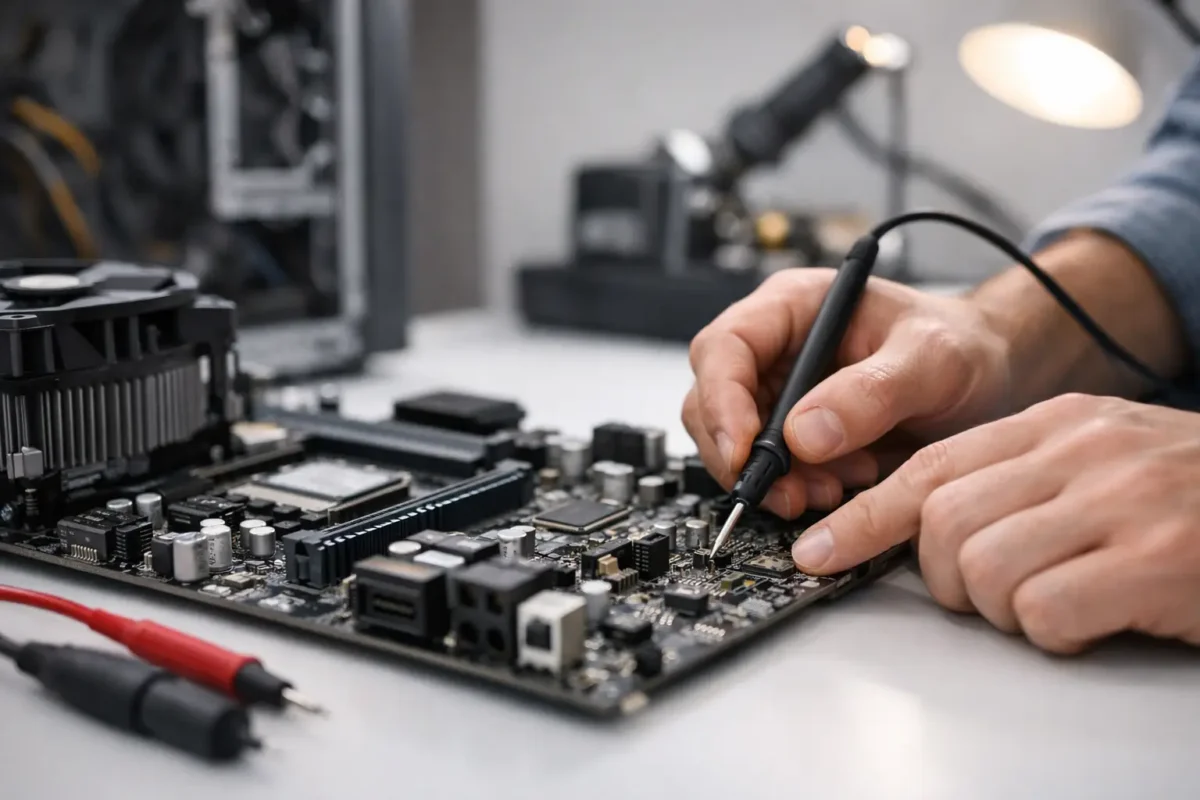
A device that shows no lights, no fan spin, and no response to the power button usually gets labeled dead fast. In reality, no power motherboard repair is often a diagnosis problem before it becomes a repair problem. The difference matters, because a board that looks gone can still be recoverable if the fault is isolated correctly.

This is where a lot of repair attempts go sideways. People replace chargers, batteries, RAM, power supplies, and even whole boards without proving where power stops. That approach gets expensive fast. Proper board-level work starts with a power path, a meter, and a clear process.

What no power actually means

“No power” is a specific symptom, not a final diagnosis. It means the motherboard is not reaching the stage where it can begin its startup sequence. On a laptop, that may look like no charging light and no reaction to the power button. On a desktop motherboard, it may mean standby voltage is missing, or the board never asserts the signals needed to start the main rails. On a game console or specialty electronics board, it can mean a shorted rail is dragging the whole system down before it even gets out of standby.

That distinction is important because “no power” is different from “no display,” “no boot,” or “turns on then shuts off.” Those failures can overlap, but the diagnostic path changes. If the board has standby power, you are already past the first gate. If it has nothing at all, the fault is usually earlier in the chain.

The most common causes of no power motherboard repair

When we see boards with no response at all, the failure usually lands in one of a few areas. Input power is the first. That includes damaged DC jacks, broken USB-C power negotiation circuits, failed charging ICs, blown input MOSFETs, cracked solder joints, bad power supplies, or damaged filters and fuses.

The second category is a short on a main rail or standby rail. A shorted capacitor, failed regulator, damaged GPU or CPU power stage, or a failed embedded controller can prevent the board from bringing up even its basic voltages. In some cases the short is hard and obvious. In others it only appears under injection or after the board warms slightly.

The third category is control logic. A motherboard can have good input voltage and still remain dead if the power button circuit, EC, SIO, BIOS firmware, or enable signals are missing. This is where part-swapping shops often get stuck. The board “looks fine,” but the sequence never starts because one small signal is absent.

Physical damage also matters. Liquid damage, corrosion under chips, impact damage, lifted pads, and previous bad repair work can all break the power path. We see this often on high-value laptops, gaming systems, and pro audio gear where the board may have already been opened once before it arrives.

How a real no power motherboard repair process works

The repair should begin with verification, not assumptions. First, confirm the external source is good. That means testing the adapter under load when possible, checking the battery condition if the device uses one, and verifying the proper input voltage reaches the board.

After that, the board gets checked for the basics. Is there a short to ground on the primary input rail? Is the input fuse open? Are the first MOSFETs passing voltage? Is the charging or power management IC receiving what it needs? If the board has standby rails, are 3.3V and 5V present where they should be?

That sounds simple, but the order matters. If you skip around, you can misread the board and waste time replacing healthy parts. A trained technician follows the power sequence from the jack inward, then from standby to main power-on rails, then into control and logic if the power rails are present but startup never happens.

Why schematics and boardviews help

No power work goes faster and cleaner when the technician has proper board documentation. Schematics show the expected voltages and signal relationships. Boardviews show where those components live physically. Without them, diagnosis becomes slower and riskier, especially on dense multi-layer boards.

Still, documentation is not magic. Some boards have revisions that do not match available files. Others have known failure patterns that only experience reveals. Good technicians use the documents, but they also trust measurement and pattern recognition.

Thermal tools and current injection

When a rail is shorted, finding the exact failed component is often the real job. Current injection lets the technician feed a controlled voltage into the shorted rail and watch for heat. A thermal camera, freeze spray, or even careful fingertip comparison can reveal the culprit.

This is one of the clearest examples of why board-level repair beats blind replacement. If a single capacitor is shorted, replacing the whole board is overkill. If a major chip is shorted internally, that changes the repair decision and the quote. Either way, the customer gets an answer based on evidence.

When repair makes sense and when it does not

No power motherboard repair is often worth doing on expensive laptops, gaming PCs, professional DJ equipment, game consoles, and business-critical systems. If the replacement board is costly, discontinued, unavailable, or tied to serialized components, board repair can save real money and preserve the original hardware.

It does depend on the fault. Replacing an input MOSFET, charging IC, fuse, or damaged connector is usually straightforward if surrounding damage is limited. Repairing corrosion under a fine-pitch controller or replacing a large BGA chip is more involved and may not be the best value on lower-end devices.

Data value matters too. On some systems, a dead motherboard also blocks access to important files, settings, or licensed software environments. Even if full repair is not practical, targeted board work may be justified to recover data or return the machine to a usable state long enough for migration.

Why part swapping fails on dead boards

A no-power board exposes the limits of surface-level repair. If a shop only knows how to swap batteries, ports, or entire assemblies, they may never identify the actual fault. Worse, they may install multiple parts that do nothing because the real issue is a missing enable signal, a shorted rail, or a corroded trace under a chip.

That is why in-house diagnostics matter. At Amazing Technology Group, the value is not just soldering skill. It is the ability to trace the failure path, identify what actually failed, and decide whether the repair is stable, cost-effective, and worth authorizing. Customers do better when the process is based on engineering, not guesswork.

What customers should do before authorizing service

If your board has no power, avoid repeated plug-in attempts, random charger swaps, and online “fixes” that involve heating the board or bridging components. Those shortcuts can turn a repairable board into a parts board.

Bring the original power adapter if possible. Mention any history that helps, especially liquid exposure, lightning events, sudden shutdowns, burning smell, previous repairs, or intermittent charging before failure. Those details narrow the search much faster than most people realize.

It also helps to ask how the shop handles diagnosis. Do they perform board-level testing, or do they stop at assembly replacement? Do they explain whether the fault is on the input stage, standby circuit, or main rail? Clear answers usually tell you whether the repair is being approached professionally.

What a good repair outcome looks like

A proper fix is not just a board that powers on once. It should pass repeat start-stop testing, charge correctly if applicable, and show stable behavior under normal operation. If the failure involved heat, liquid, or damaged pads, the technician should also evaluate long-term reliability, not just immediate function.

That is the difference between getting power back and getting a trustworthy repair. Real board work should solve the root cause, verify the surrounding circuit, and leave the customer with a realistic picture of what was fixed and what risks remain.

When a motherboard goes completely dead, the smartest next step is not replacing everything around it. It is finding exactly where the power path breaks and letting the evidence lead the repair.

Categories
Uncategorized

Slimking Casino anuncia colaboração estratégica com provedor de jogos renomado

Slimking Casino Expande Portfólio com Novo Provedor de Jogos

Slimking Casino, uma plataforma de iGaming estabelecida em 2025 e operada pela Soft2Bet N.V. sob licença de Curaçao, anunciou recentemente uma nova e estratégica colaboração com um renomado provedor de jogos. Esta parceria visa enriquecer significativamente a já vasta biblioteca de mais de 3.650 títulos disponíveis no casino e sportsbook. A adição de novos jogos é um movimento chave para a sua estratégia de penetração em mercados internacionais, refletindo um foco em oferecer variedade e qualidade aos seus utilizadores. Descobri este casino recentemente e a sua expansão em oferta é notável. descobri este casino

A escolha deste novo parceiro, cujos detalhes específicos da colaboração ainda estão a ser revelados, sublinha o compromisso do Slimking Casino em manter-se na vanguarda da inovação e do entretenimento. Com mais de 60 desenvolvedores já presentes, incluindo gigantes como Pragmatic Play, Playtech e Evolution Gaming, a integração de um novo provedor de topo sugere um reforço em categorias populares como slots, jogos de mesa e, potencialmente, ofertas de casino ao vivo.

Jogadores europeus, em particular, poderão beneficiar desta expansão. O Slimking Casino já suporta várias moedas fiduciárias como EUR, USD e GBP, juntamente com criptomoedas. As suas opções de pagamento, que incluem métodos como Trustly para os países nórdicos e, presumivelmente, outros métodos regionais em desenvolvimento, tornam a plataforma acessível. Esta nova colaboração promete trazer jogos que se alinham com as preferências locais, aumentando o apelo do casino para um público mais amplo.

Slimking Casino mijn eerlijke speelsessie ervaring na 3 uur spelen

Detalhes da Parceria e Impacto no Jogador

Embora o nome do provedor de jogos recém-adicionado não tenha sido divulgado no anúncio oficial, a natureza da parceria sugere um impacto direto na experiência do utilizador. Fontes próximas da indústria indicam que o novo parceiro é conhecido pela sua inovação em mecânicas de jogos de slots e por títulos de alta volatilidade que atraem jogadores que procuram grandes prémios. Isto complementa a oferta existente de slots de alta RTP (Return to Player) que Slimking já disponibiliza.

Para os jogadores, isto significa acesso a novos títulos que podem oferecer dinâmicas de jogo únicas, gráficos de ponta e bandas sonoras imersivas. A diversidade de provedores já presentes é impressionante, com mais de 60 nomes a contribuírem para o catálogo. A adição de um novo estúdio pode também introduzir diferentes abordagens aos jogos de mesa ou live casino, expandindo as opções para além dos atuais favoritos como Mega Roulette e Azure Blackjack.

A infraestrutura tecnológica do Slimking Casino, que suporta mais de 3.650 jogos, está bem equipada para integrar facilmente novos conteúdos. A plataforma utiliza tecnologia HTML5, garantindo que os novos jogos estarão disponíveis em dispositivos móveis sem necessidade de download, tal como o resto do portfólio. Esta acessibilidade mobile é um fator crítico para jogadores em mercados como Portugal, Espanha e Itália, onde o jogo em smartphones é predominante.

A licença de Curaçao permite que Slimking Casino opere em muitas jurisdições internacionais, e a adição contínua de conteúdo de qualidade é uma tática comum para consolidar a sua posição. Para jogadores na União Europeia, onde a licença de Curaçao é amplamente aceite, esta expansão representa mais uma razão para explorar o casino. A ausência de taxas internas nas transações e a suportar de moedas fiduciárias tradicionais reforçam ainda mais a sua conveniência.

Estratégia de Expansão e Concorrência no Mercado

O lançamento de Slimking Casino em 2025 posicionou-o num mercado iGaming já competitivo. A estratégia da Soft2Bet N.V. parece clara: oferecer uma plataforma abrangente com um sportsbook robusto e uma vasta seleção de jogos de casino, complementada por bónus de boas-vindas agressivos e um programa VIP apelativo. O bónus de boas-vindas de 100% até €1.000 mais 200 Free Spins para o casino, juntamente com um bónus de sportsbook de 100% até €200, são ofertas de destaque.

Esta nova colaboração com um provedor de jogos é um passo lógico na sua estratégia de crescimento. Ao adicionar conteúdo fresco e de alta qualidade, Slimking Casino procura atrair novos jogadores e reter os existentes, diferenciando-se de concorrentes que podem ter catálogos mais estagnados. A inclusão de jogos de provedores populares como Hacksaw Gaming e Red Tiger já demonstra uma orientação para títulos de sucesso.

Para jogadores em mercados específicos, a análise do suporte a métodos de pagamento locais é important. Embora Slimking Casino suporte métodos globais como Visa, Mastercard, Skrill, Neteller e uma ampla gama de criptomoedas, a sua capacidade de integrar soluções como Trustly (popular na Escandinávia) e potencialmente outros métodos regionais (como Blik na Polónia, embora não explicitamente mencionado nos dados) será um diferencial. A flexibilidade cambial, com suporte para EUR, USD e GBP, também é um ponto forte.

Os limites de levantamento progressivos com o estatuto VIP – que podem chegar a €20.000 mensais para os níveis mais altos – são um atrativo significativo para grandes apostadores. A combinação de um programa de fidelidade bem estruturado com um fluxo constante de novos jogos criará um ecossistema envolvente. Os jogadores que procuram uma experiência completa, desde o bónus inicial até ao suporte contínuo e à vasta gama de jogos, encontrarão no Slimking Casino uma plataforma em constante evolução.