

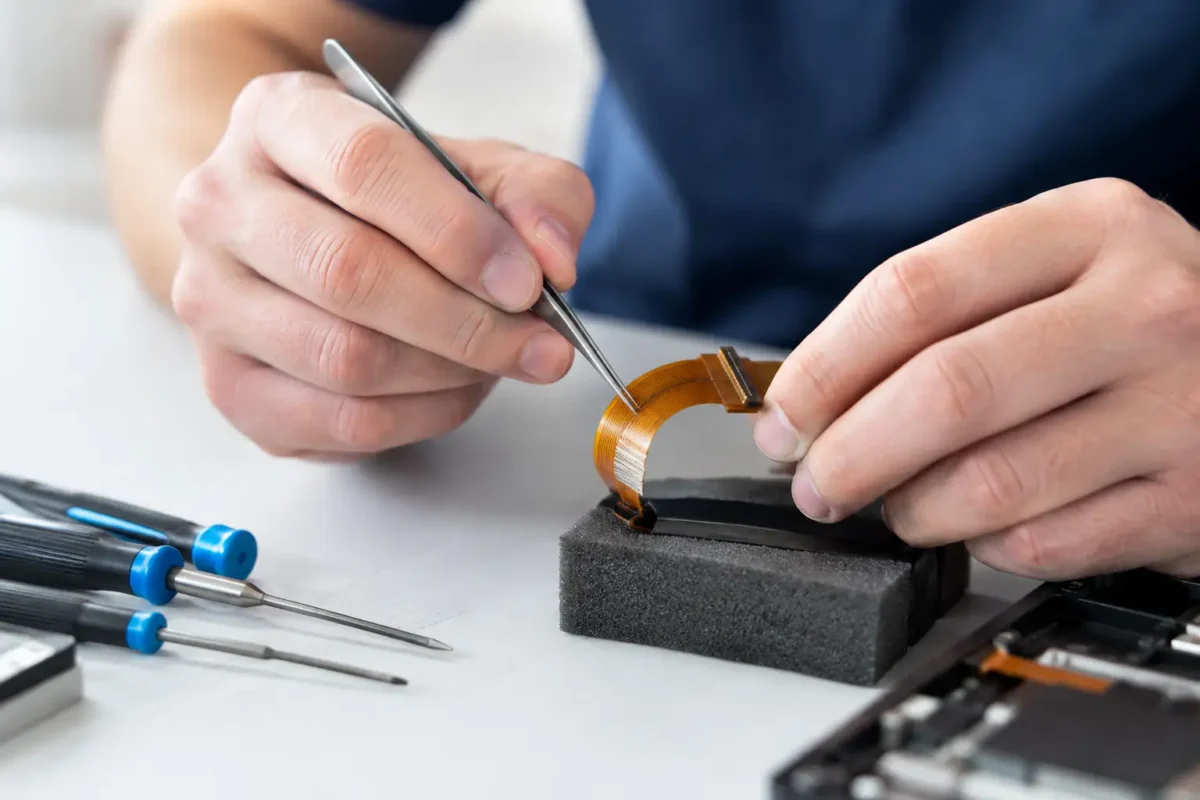
A laptop powers on but its display stays black. A game controller loses buttons after a drop. A DJ mixer has a dead channel after someone pulled a connector too hard. In many of these cases, the problem is not a major circuit board failure. It is a damaged flex cable. To repair torn flex cables correctly, a technician has to determine exactly what tore, where the electrical paths were interrupted, and whether a dependable repair is possible.
Flex cables are thin, compact, and everywhere. They connect screens, touch panels, keyboards, USB boards, camera modules, controller buttons, optical drives, and internal boards in consoles, laptops, phones, and professional audio equipment. Their size makes modern electronics possible. It also makes them easy to crease, pull, puncture, corrode, or tear.
What Makes a Torn Flex Cable Difficult to Repair
A flex cable is not simply a bundle of wires in a flat wrapper. Most are built from very thin copper traces bonded to flexible plastic film. Some include multiple layers, shielding, ground planes, stiffeners, printed contacts, or components mounted directly onto the cable. A tear may break one trace, ten traces, or an entire section that cannot be reconstructed safely.
The damage can also be misleading. A cable may look intact while a sharp fold has cracked copper inside. Conversely, an exposed edge may look ugly but still have complete electrical continuity. That is why visual inspection is only the starting point.
A proper diagnosis involves magnification, continuity testing, and an understanding of the circuit the cable serves. If a display flex carries high-speed video data, a repair that looks clean but changes signal behavior can still cause flickering, artifacts, or a complete failure to boot. If a controller cable carries simple button signals, a trace-level repair may be more forgiving. The application matters as much as the tear.
When Repair Torn Flex Cables Makes Sense
Replacement is often the best answer when a compatible cable is available at a reasonable price. It is usually more reliable than rebuilding a badly damaged cable, especially when the cable bends during normal use. But replacement is not always possible. Some parts are discontinued, proprietary, attached to an expensive assembly, or unavailable except through a donor device.
Repair becomes a strong option when the damage is localized and the rest of the cable is healthy. A single torn trace near a connector, a lifted pad, corrosion at one end, or a damaged printed contact may be repairable with fine jumper wire, conductive reconstruction, or careful connector-end work. This is common in older consoles, laptop assemblies, specialized DJ gear, and equipment where a replacement part would be costly or impossible to source.
There is a practical line, however. If the cable is torn completely through across many fine-pitch traces, has damaged layers internally, or is repeatedly flexed in the same area, rebuilding it may cost more than replacement and may not deliver long-term reliability. A professional repair shop should explain that trade-off clearly instead of forcing a repair that will not hold up.
The Location of the Damage Changes Everything
A tear at the end of a flex cable can be especially challenging because that area often contains exposed gold contacts or a reinforced stiffener designed to fit a zero-insertion-force connector. The contacts must be evenly spaced, electrically isolated, and strong enough to survive insertion. A quick patch can make contact temporarily, then fail the next time the device is opened.
Damage in the middle of the cable presents a different problem. Individual traces can sometimes be exposed, tested, and bridged, but the repaired area needs strain relief. Without it, normal movement can pull the repair apart. For a hinge-mounted laptop display cable, a repair in the bend zone is generally a poor long-term choice. For a stationary internal cable that will be secured after service, the outlook can be much better.
The Professional Repair Process
Real flex-cable work starts with disassembly that protects the device. That means disconnecting power, removing batteries where possible, documenting screw locations, and releasing delicate connectors without tearing the locking tabs. On consoles and laptops, the original failure may have happened because a cable was removed incorrectly. Creating a second failure during diagnosis is not acceptable.
Once the cable is accessible, the technician inspects both the cable and the connector. A torn cable may be the obvious issue, but damaged connector pins, cracked solder joints, liquid corrosion, or a shorted component can produce the same symptoms. Repairing the flex alone without checking the board can waste time and money.
Under magnification, damaged protective film is carefully opened only where needed. The individual traces are identified and tested from end to end. If a bridge repair is viable, the technician uses controlled heat, appropriate flux, fine solder, and wire sized for the circuit. The goal is not merely to make continuity beep on a meter. The goal is to restore the connection without bridging adjacent traces, overheating the film, or creating a bulky repair that cannot fit back into the device.
After electrical work, the repair needs mechanical support. Depending on the cable and location, that may involve flexible insulating material, adhesive-backed reinforcement, or carefully positioned strain relief. Rigid glue in the wrong area can create a new stress point. The cable must still route naturally through the device and stay clear of moving parts, screws, heatsinks, and sharp chassis edges.
Testing comes before full reassembly whenever possible. A technician checks the original failure, related functions, charging behavior, display output, controls, audio paths, and device stability. A cable can pass continuity testing yet fail under real operating conditions, particularly on high-speed or high-current circuits.
Why Tape and Conductive Paint Often Fall Short
Customers sometimes arrive after trying clear tape, foil, conductive ink, or a generic adhesive repair kit. Those materials can have a place in limited situations, but they are not universal fixes. Tape may hold a cable together physically while doing nothing for broken copper traces. Foil is difficult to control and can short neighboring conductors. Conductive paint can be useful for low-current printed contacts, but it may not tolerate flexing or carry signals reliably across fine-pitch paths.
The bigger issue is diagnosis. A home repair may cover up the damaged area before anyone confirms which traces are broken. It can also leave residue that complicates professional work later. If the device is valuable, rare, or essential for work, stopping after the damage occurs is usually the cheapest move.
That does not mean every torn cable requires board-level repair. A loose connector may only need to be reseated, and a readily available cable may be the smart replacement. The right service is the one that restores dependable operation without selling unnecessary labor.
Devices Where Flex Cable Damage Is Common
Flex-cable failures show up across nearly every category of electronics. In laptops, display cables can fail at hinges and keyboard or trackpad cables can tear during repair attempts. In game consoles, front-panel, disc-drive, USB, and controller-related flex cables are frequent trouble spots. Controllers use thin membrane circuits and compact flex connections that can be damaged by spills, impact, or previous disassembly.
Professional DJ equipment brings its own challenges. Faders, jog assemblies, displays, button boards, and internal control surfaces often rely on custom cables that are not easy to buy separately. A repair decision may come down to whether the cable can be restored in-house or whether a donor assembly is required.
This is where component-level experience matters. The technician needs to recognize when a cable is the actual fault, when the board-side connector needs repair, and when the symptom points to a deeper issue on the PCB. Amazing Technology Group approaches these jobs as diagnostics first, not guesswork or part-swapping.
Protecting a Repaired Cable After Service
A successful repair can still fail early if the original cause remains. Before closing the device, the cable route should be checked for pinch points, missing guides, loose brackets, damaged hinges, and sharp edges. Connectors should be fully seated and locked, never forced. On equipment that moves or vibrates, proper cable retention matters just as much as the electrical repair.
For owners, the best prevention is simple: do not pull on ribbon cables, do not pry connectors before identifying their locking mechanism, and do not repeatedly bend a cable to make an intermittent problem disappear. Intermittent behavior is often a warning that a trace is already cracking.
A torn flex cable is small damage with the potential to disable an expensive device. When the cable is repairable, precise work can preserve hardware that many shops would write off. When replacement is the better call, an honest diagnosis prevents money from being spent on a temporary fix. Either way, the best outcome comes from treating that thin strip of circuitry like the critical component it is.