

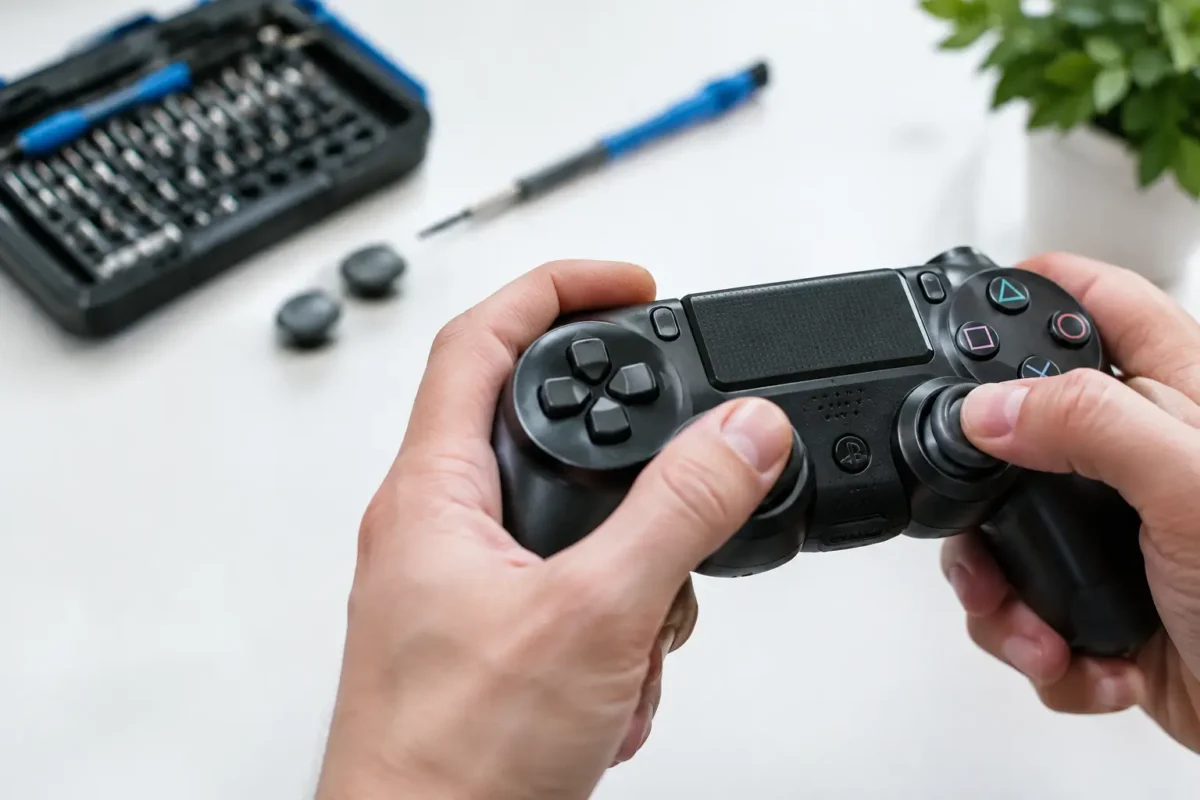
A controller that moves your character after you release the thumbstick is more than an annoyance. In a competitive match, it can mean missed shots, accidental inputs, or a menu that scrolls on its own. So, what causes joystick drift? Usually, the issue comes down to wear inside the analog stick assembly, but contamination, physical damage, and software settings can create similar symptoms.
The right fix depends on the actual fault. A dead zone adjustment may hide a minor issue for a while. It will not repair a worn sensor, a damaged stick module, or a controller that took a hard hit. Proper diagnosis matters because joystick drift is a symptom, not a single failure.
What Causes Joystick Drift Inside a Controller?
Most modern controllers use analog stick modules with a spring-loaded mechanism and two position sensors. One sensor tracks left-to-right movement, while the other tracks up-and-down movement. In many controllers, those sensors are potentiometers: small components with a moving contact that reads the stick’s position as electrical resistance.
Every time the stick moves, that contact rubs across a resistive track. Over hundreds of hours of gaming, the track and contact can wear. The controller may then report a slight movement even when the stick is physically centered. That false input is joystick drift.
Wear is common on heavily used controllers, especially when a game requires constant sprinting, camera control, aiming, or rapid directional movement. It is not always a sign that someone abused the controller. Analog stick modules are mechanical parts with a finite service life.
Worn potentiometer tracks and contacts
A worn potentiometer is the most frequent hardware cause. As the internal track wears down, the electrical signal becomes inconsistent. The stick may drift in one direction, jitter back and forth, or behave normally until a particular point in its travel.
Cleaning can sometimes improve a dirty contact, but it cannot rebuild a worn resistive surface. If the fault returns quickly after cleaning or gets worse over time, replacing the stick module or the defective sensor is generally the real repair.
Dust, debris, and residue
Controllers spend a lot of time in hands, backpacks, living rooms, cars, and gaming setups. Dust, pet hair, skin oils, food particles, and dried liquid residue can work their way into the stick assembly. Contamination can interfere with movement or change the electrical reading from the sensor.
This is one reason a controller may begin drifting suddenly after months of normal operation. It can also explain drift that appears intermittently. A little debris may move around inside the assembly, causing the problem to come and go.
Compressed air or an appropriate electronics-safe cleaner may help in limited cases, but there is a trade-off. Spraying products into a controller without opening it can push residue deeper inside or leave moisture where it does not belong. If there has been a spill, corrosion is also a concern, and surface cleaning alone may not reach the affected areas.
A damaged or off-center stick mechanism
The stick itself must return to center consistently. Inside the module, springs and plastic mechanical components provide that centering action. A drop, aggressive force, or repeated pressure in one direction can damage the mechanism or leave it slightly off-center.
This type of problem often feels different from electrical drift. The stick may feel loose, rough, stiff, or physically biased toward one side. If a thumbstick does not snap back to center cleanly, calibration software cannot correct the underlying mechanical failure.
Software and Calibration Issues Can Look Like Drift
Not every drifting controller needs soldering. Consoles, PCs, and individual games all interpret analog input differently. A controller that seems fine in one game may drift in another because that game uses a smaller dead zone.
The dead zone is the small area around the center position where tiny inputs are ignored. Increasing it can stop minor unwanted movement. The downside is reduced precision. A large dead zone can make aiming feel slow or make movement begin less smoothly, which is especially noticeable in shooters, racing games, and sports titles.
Firmware problems, incorrect controller profiles, and corrupted settings can also create unusual input behavior. Before opening a controller, test it on another console or PC if possible. Update the controller firmware, reset custom mappings, and check whether the drift appears in a controller testing screen as well as in a game.
If the same directional input appears across multiple systems or games, the controller hardware is the likely source. If it only happens in one title, review that game’s controller settings first.
Hall Effect Sticks: Better, Not Invincible
Hall effect analog sticks use magnets and sensors rather than the rubbing electrical contacts found in traditional potentiometers. Because there is less contact wear at the sensing point, these designs can reduce one of the major causes of drift.
They are not magic parts, though. A Hall effect controller can still develop problems from damaged springs, loose components, liquid exposure, broken solder joints, poor calibration, or impact damage. Magnetic sensor designs may offer a durability advantage, but controller construction and repair quality still matter.
For someone replacing a failed stick module, the best option depends on the controller model, available parts, desired feel, and whether the installation requires board-level work. Compatibility matters just as much as the sensor technology.
How to Tell What Kind of Drift You Have
Start with a simple test. With the controller sitting untouched on a flat surface, open a game menu or input test screen and watch the analog stick reading. Then move the stick slowly through its full range in every direction. Listen and feel for grinding, sticking, looseness, or a weak return to center.
A few clues can narrow down the issue. Constant movement in one direction usually points to an off-center sensor reading or mechanical centering problem. Random jitter often suggests contamination or worn contacts. Drift that started immediately after a drop may indicate physical damage or cracked solder joints. Drift that only appears in one game is more likely a dead zone or configuration issue.
Battery level is rarely the true cause of drift, although a low battery can create connection issues that feel like erratic input. Wireless interference can also cause delayed or dropped commands, but it typically does not create a consistent analog movement reading. Testing with a wired connection can help separate communication problems from a faulty stick assembly.
When Cleaning Is Worth Trying and When Repair Is Smarter
Cleaning is worth considering when the controller is relatively new, the drift is mild or intermittent, and there is no sign of impact or liquid damage. Use only products intended for electronics, avoid soaking the assembly, and allow the controller to dry completely before powering it on.
Replacement becomes the better choice when drift is persistent, the stick feels mechanically wrong, or cleaning has only provided a short-term improvement. On many PS4, PS5, Xbox, and third-party controllers, the analog stick module is soldered directly to the circuit board. Replacing it correctly requires disassembly, desoldering, installation of the new component, and testing for accurate movement in both axes.
That is where a real repair differs from simply swapping a shell or spraying cleaner through a gap. A technician should inspect the module, check the board for lifted pads or corrosion, verify solder joints, and test the controller after repair. At Amazing Technology Group, difficult controller issues are handled with in-house diagnostics and component-level repair rather than guesswork.
Can You Prevent Joystick Drift?
You cannot eliminate normal wear from a mechanical controller, but you can reduce unnecessary stress. Keep controllers away from spills and dusty storage areas, avoid forcing the sticks against their travel limits, and transport them in a case instead of loose in a bag. Clean hands help more than most players realize, especially over long gaming sessions.
It also helps to address early symptoms. If a controller begins to jitter occasionally, do not keep increasing the dead zone until the game becomes hard to play. Test it, clean it carefully if appropriate, and consider repair before a minor sensor problem turns into a controller you no longer trust when the match gets tight.