

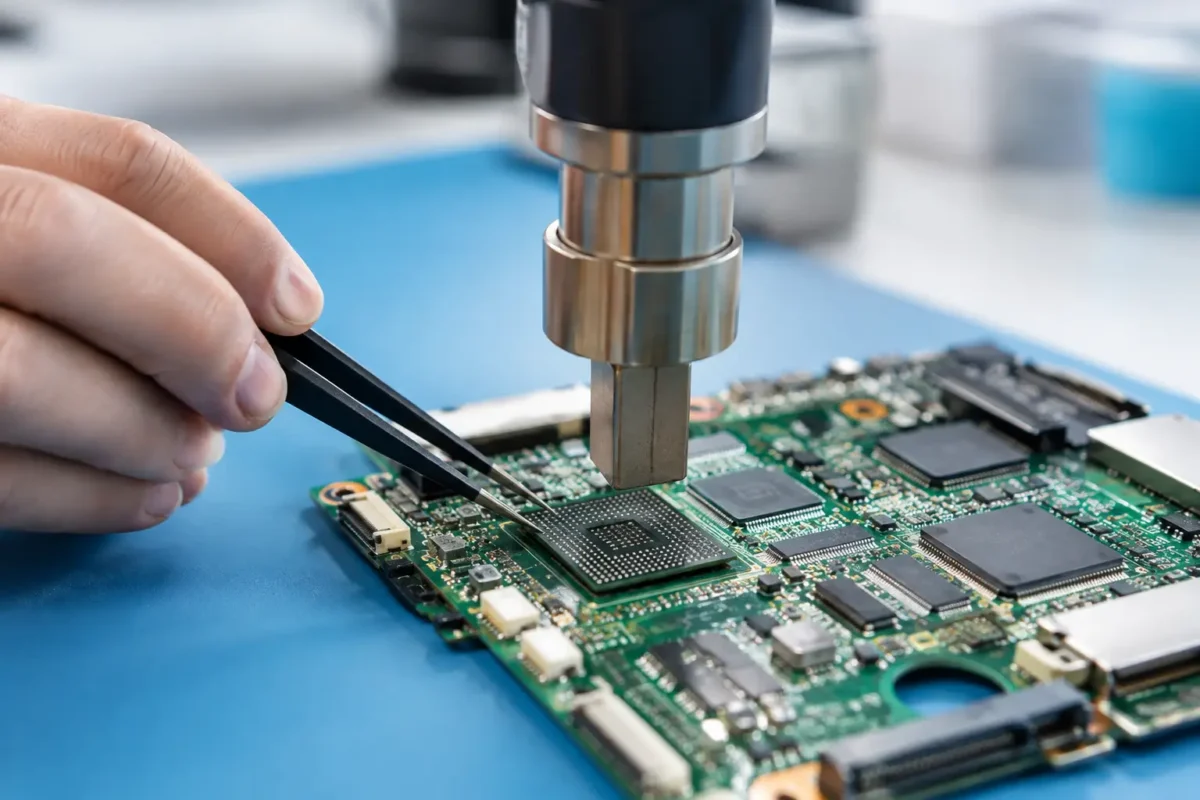
A console that powers on with no display, a laptop that crashes only after warming up, or a DJ controller with an intermittent video or audio fault can point to a serious board-level problem. But when is BGA rework needed? The answer is not simply when a device has a bad chip. It is needed when proper testing shows that the solder connections beneath a ball grid array package, or the package itself, are the actual source of failure.
BGA rework is precision work. It involves controlled heat, board support, chip removal, pad inspection, solder preparation, alignment, and verification. Done correctly, it can restore expensive hardware that many shops write off. Done as a guess or a quick heat treatment, it can create more damage than it solves.
What BGA Rework Actually Fixes
A BGA, or ball grid array, is a type of chip package used on modern circuit boards. Instead of visible pins around the edges, the chip connects to the board through an array of tiny solder balls underneath it. CPUs, GPUs, memory chips, console processors, chipsets, and high-speed controllers commonly use this design.
Those hidden connections are efficient and compact, but they cannot be inspected with the naked eye once the chip is installed. Repeated heating and cooling, physical flexing, manufacturing defects, corrosion, liquid exposure, or a failing chip can compromise the connection. The result may be a device that acts dead, works intermittently, freezes under load, or loses a major function such as video output, charging, Wi-Fi, storage detection, or controller communication.
BGA rework is not one single repair. Depending on the diagnosis, the technician may reflow the existing solder, remove and reball the original chip, replace the chip entirely, or repair damaged pads and traces before reinstalling a component. The correct option depends on what failed and why.
When Is BGA Rework Needed? Start With Diagnosis
The strongest reason for BGA rework is evidence, not symptoms alone. Many failures that look like a GPU, CPU, or chipset problem are actually caused by a shorted capacitor, damaged power rail, missing enable signal, corrupt firmware, bad RAM, failed storage, or liquid corrosion elsewhere on the board.
A real board-level diagnosis begins by confirming the device’s failure pattern. Does it fail cold and hot? Does the fault change when pressure is applied to a specific board area? Are expected voltage rails present? Is the chip receiving power, clock, reset, and communication signals? Is there abnormal heat around the chip or a nearby component? These checks narrow the problem before anyone applies heat to a board.
For difficult cases, a technician may use thermal imaging, microscope inspection, voltage injection, resistance and diode-mode measurements, boardview data, schematics, known-good part comparisons, and functional testing. No single test proves every BGA failure. The goal is to rule out the simpler and more common faults first, then confirm whether the BGA area is truly responsible.
Signs That Point Toward a BGA Problem
Certain symptoms make BGA diagnosis more likely, especially when they are repeatable. A game console may boot but show no image while power rails and HDMI circuitry test correctly. A laptop may run for a few minutes, then black-screen or lock up as the board reaches operating temperature. A graphics card may show artifacts, fail to initialize, or disappear from the system despite a healthy power supply and slot.
Intermittent faults after a drop or chassis flex can also be telling. If a board works only when pressure is placed in a certain area, there may be fractured solder joints or damaged pads beneath a large package. That said, pressure testing is a clue, not a repair method. Bending a board to make it work can turn a repairable fault into lifted pads, cracked traces, or a dead chip.
Liquid damage creates another situation where BGA work may be necessary. Corrosion can travel beneath a chip package, where it continues attacking pads and solder joints long after the surface appears clean. If inspection and testing indicate contamination below the package, removing the chip for proper cleanup and pad repair may be the only reliable approach.
Reflow, Reball, or Chip Replacement?
These terms are often used interchangeably, but they are not the same service.
A reflow heats the installed BGA package enough to re-establish solder connections. It may be appropriate in limited cases, but it does not remove old solder, inspect the pads, or address a degraded chip. Reflow can be useful as a controlled diagnostic step or as a repair where the board condition supports it, but it is not automatically the best long-term answer.
A reball removes the chip, cleans the chip and board pads, applies new solder balls, and reinstalls the original component with precise alignment. This is often the better approach when testing supports solder-joint failure and the chip itself is known to be functional. It allows the technician to inspect for pad damage, corrosion, and prior repair attempts that would remain hidden during a reflow.
Chip replacement is needed when the BGA device has failed internally. A chip can have perfect solder joints and still be defective due to electrical damage, overheating, moisture exposure, or a known failure pattern. In that situation, reinstalling the original chip will not solve the problem. The replacement component must also be compatible, properly programmed when required, and verified after installation.
The trade-off is cost and risk. Reballing or replacing a large processor is more involved than swapping a connector or power IC, and not every board is economically worth saving. A technician should explain the likely repair path, the condition of the board, and any uncertainty before proceeding.
Why Quick Heat Fixes Usually Do Not Hold
Customers often encounter videos showing a heat gun or oven used to “fix” a console or laptop motherboard. That approach is risky. Consumer heat tools do not provide the temperature control, airflow control, bottom-side support, or chip placement accuracy needed for professional BGA work.
Random heating can warp the board, damage nearby plastic connectors, shift small components, weaken multilayer board structures, and cook components that were never faulty. Even if the device starts afterward, the underlying issue may return because the solder and chip were not properly evaluated or rebuilt.
Professional rework uses controlled profiles designed around the board, package, solder type, and surrounding components. The board is protected and supported. The chip is handled under magnification. Pads are inspected before reinstallation. That process takes longer than a shortcut because it is intended to produce a repair that can be tested and trusted.
Devices Where BGA Rework Can Make Sense
BGA rework is most valuable when the device is expensive, specialized, or difficult to replace. Modern gaming consoles, high-performance laptops, desktop motherboards, graphics cards, professional DJ equipment, industrial control boards, and certain network devices can all justify this level of repair.
For a gamer, preserving a PS5, Xbox, custom PC motherboard, or GPU can cost far less than replacing the entire system. For a DJ or audio professional, repairing the board inside specialized equipment may avoid downtime and protect gear that is no longer readily available. For a business, restoring a critical controller or network appliance can be faster than replacing and reconfiguring a system.
Still, board repair must be practical. Extensive liquid damage, severe board delamination, missing data-critical components, unavailable chips, or multiple unrelated failures can change the recommendation. Honest repair work includes knowing when a board has a reasonable path forward and when replacement is the safer investment.
What a Proper BGA Repair Process Looks Like
A reliable shop does not begin by declaring that every no-boot device needs a reball. The process should start with intake information and fault verification, followed by board-level testing to identify the failed circuit or component. Once BGA work is supported by the diagnosis, the repair plan should be explained before the work moves ahead.
During the repair, the board is prepared, sensitive areas are protected, and the package is removed with controlled equipment. The technician checks the board pads and the chip under magnification, repairs any damage, then rebells or replaces the component as needed. After reinstallation, the device is tested for its original issue and for stable operation under real conditions.
At Amazing Technology Group, that hands-on process is the difference between a guess and an actual repair. Complex boards deserve more than part swapping or a temporary heat trick.
If your device has a repeatable no-video, no-boot, overheating, or intermittent failure, do not assume the biggest chip is automatically bad. Get the board diagnosed, protect your data and hardware, and let the evidence determine whether BGA rework is the right move.