

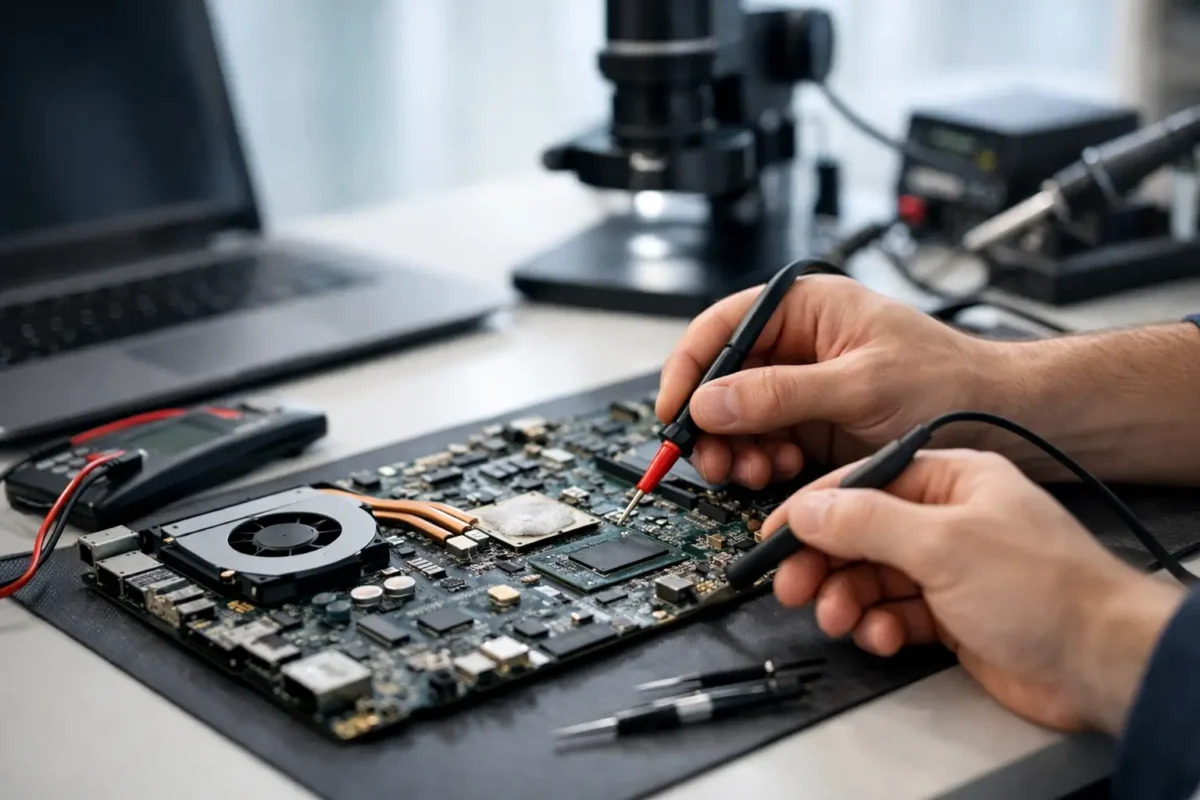
A laptop comes in stone dead, no charging light, no fan spin, no display. Another shop already tried a battery, a charger, and even a screen. Nothing changed. That is exactly where advanced diagnostics for laptop motherboards matters. When a machine has a board-level fault, guessing gets expensive fast. Real repair starts when someone stops swapping parts and starts measuring what the board is actually doing.
What advanced diagnostics for laptop motherboards really means
At the customer level, motherboard diagnostics can sound vague. In practice, it means tracing the fault through the board’s power, charging, communication, and startup systems until the actual failed area is identified. Not the symptom. Not the most common replacement part. The failed circuit.
A laptop motherboard is not one simple part. It is a network of power rails, embedded controllers, BIOS storage, charging circuits, CPU and GPU power stages, memory lines, data buses, clock signals, and protection components. If one section fails, the entire system can act dead or behave in strange ways. That is why a laptop can show the same symptom for very different reasons.
For example, “won’t turn on” might be caused by a shorted main power rail, a failed charging IC, corrupt firmware, a bad power button circuit, damaged MOSFETs, liquid damage around the embedded controller, or a CPU core voltage issue. A parts-only approach treats all of those as the same problem. They are not.
Why basic troubleshooting often misses the real fault
Basic troubleshooting has its place. Checking the adapter, battery, RAM, storage, and display can rule out common failures. But once those obvious items are cleared, many shops hit a wall because they are not set up for component-level work.
That is where advanced diagnostics separates a real board repair operation from a replacement shop. The process usually involves board inspection under magnification, thermal analysis, voltage injection on shorted rails, resistance-to-ground testing, schematic and boardview reference, BIOS and EC firmware checks, and live power sequence testing. These are not flashy steps. They are disciplined ones.
The value for the customer is simple. You are no longer paying for a chain of guesses. You are paying for someone to isolate the fault before a repair is approved.
The failures that board-level diagnostics is built to find
Laptop motherboards fail in patterns, but no two cases are exactly alike. Some failures are dramatic, like liquid exposure or physical impact. Others build slowly through heat stress, worn solder joints, power surges, or component fatigue.
No-power faults are one of the most common cases. A board may be shorted on the main input, blocked at the charging stage, or missing one of the always-on rails needed to wake the rest of the system. In those cases, the board has to be read like a map. You check where voltage enters, where it stops, and what component is responsible.
Intermittent faults are harder. Maybe the laptop starts cold but shuts off warm. Maybe it charges only when the cable is held a certain way. Maybe it boots three times out of ten. These jobs take patience because the failure may not be visible during a quick bench check. Heat, pressure, flexing, and current draw all change the behavior.
Liquid damage is a separate category because corrosion spreads. A laptop can appear to recover after drying out, then fail weeks later when corrosion eats through signal lines or power components. On these jobs, advanced diagnostics is not just about finding the first bad part. It is about checking how far the damage traveled and whether the board is still a solid candidate for repair.
How technicians isolate a motherboard fault
A proper diagnostic flow starts with the basics, but it does not stay there for long. Visual inspection comes first because burned components, corrosion, cracked solder joints, and impact damage can immediately narrow the search. After that, meter work begins.
One of the first questions is whether the main power rails are present and healthy. If they are missing, the next step is finding out whether power is being blocked, shorted, or never commanded on. Resistance readings help locate short circuits. Voltage readings show where the startup sequence stops. Thermal tools can reveal a component heating up abnormally under injection current.
Firmware also matters more than many people realize. BIOS corruption can mimic major hardware failure. Embedded controller issues can prevent proper startup even when the board looks electrically alive. That is why advanced diagnostics for laptop motherboards is not only soldering work. It is also firmware validation, power-sequence analysis, and logic-level troubleshooting.
Then there is context. A board from a gaming laptop under heavy thermal load fails differently from an office ultrabook with charger-port damage. A business machine that has seen docking station wear may show different patterns from a student laptop that took a spill. Experienced technicians do not just test the board. They read the history of the machine.
Why board repair can be better than motherboard replacement
Many customers assume a bad motherboard means full replacement. Sometimes that is true. If the board is badly burned, heavily corroded, or the economics do not make sense, replacement may be the smarter route. But that is not always the case.
A board-level repair can cost significantly less than replacing the entire motherboard, especially on premium laptops, gaming systems, and business models where replacement boards are expensive, unavailable, or unreliable from third-party sources. It also preserves original hardware, which can matter for compatibility, licensing, or data access.
There is a trade-off, though. Component-level repair is precise work, and the time required depends on the fault. A dead short near the DC input may be located quickly. An intermittent shutdown tied to heat or firmware may take much longer. Honest diagnostics includes that reality. Good repair work is not about rushing to the cheapest answer. It is about getting to the right one.
What customers should expect from a real diagnostic process
If you are bringing in a laptop with a suspected motherboard issue, a real shop should be able to explain the process in plain English. First comes intake and symptom review. Then the device is tested to confirm the failure condition. After that, the board is inspected and measured to determine whether the fault is at the component level, tied to another subsystem, or severe enough that repair may not be practical.
Once the fault is identified or narrowed to a repairable area, you should get a clear recommendation. That may be a board repair, a port repair, firmware recovery, replacement of a failed power circuit, or in some cases a recommendation not to invest further. Straight answers matter here.
This is also where in-house capability matters. If a shop advertises repair but outsources the hard cases, turnaround, quality control, and accountability can all get weaker. A team that handles advanced board work in-house has direct control over diagnosis, rework quality, testing, and final verification. That usually leads to better outcomes on difficult jobs.
Advanced diagnostics for laptop motherboards is about accuracy
Customers usually come in focused on the symptom. No power. No display. Not charging. Random shutdowns. That makes sense. But symptoms are just the surface. The job is to figure out what failed underneath and whether it can be repaired reliably.
That accuracy saves money and frustration. It prevents replacing good parts. It gives realistic expectations. And it opens repair paths that many standard shops never even check. For businesses, that can mean keeping an expensive machine in service instead of replacing it early. For individual customers, it can mean recovering a laptop that looked finished.
At Amazing Technology Group, that kind of work fits the whole point of the bench – solve the real problem, keep the repair in-house, and do the hard jobs correctly.
When a laptop motherboard fails, the smartest next step is not a guess. It is a measured diagnosis from technicians who know how to follow the fault all the way to the source.