

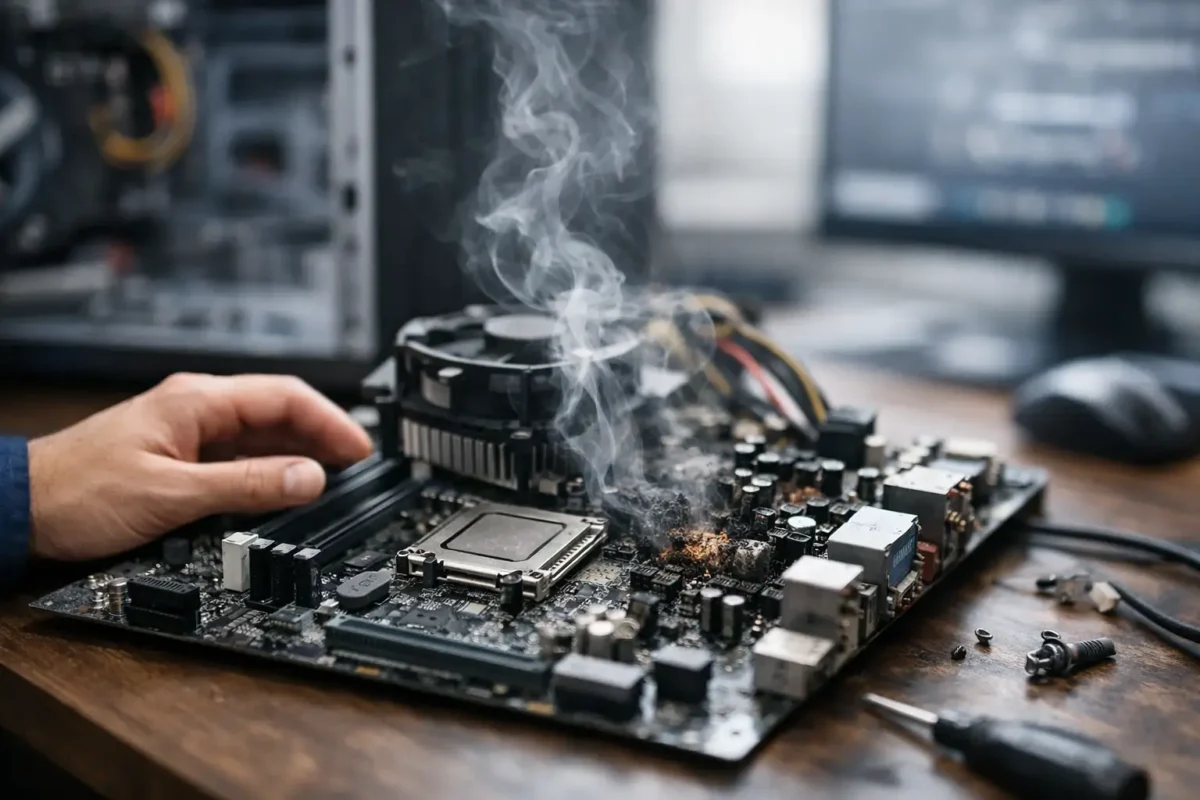
A computer that suddenly stops posting, power cycles for no clear reason, or acts unstable across multiple parts is often showing the best signs of motherboard failure before it goes completely down. The tricky part is that motherboard faults can look like bad RAM, a dying power supply, overheating, storage issues, or even a corrupted OS. That is why guessing gets expensive fast. If you know what to watch for, you can narrow the problem down early and avoid replacing good parts.
Why motherboard failure is hard to spot
A motherboard is the traffic controller for the whole system. It distributes power, manages communication between components, and handles startup logic. When it starts failing, the symptoms are rarely neat or consistent.
One day the machine may freeze under load. The next day it may not detect a GPU, a storage drive, or a USB device. In more serious cases, it may look completely dead even though the actual fault is one damaged power rail, a shorted capacitor, bad VRM behavior, or a failed chipset-related circuit. That is why experienced diagnosis matters. A lot of systems get misdiagnosed because the visible symptom is not the root cause.
1. The system powers on but will not POST
One of the clearest signs is when fans spin, lights come on, but the machine never reaches the BIOS or startup screen. You may get a black display with no keyboard response and no normal boot behavior.
This can still be caused by RAM, CPU, GPU, or PSU problems, so it is not automatically a dead board. But if you have already tested known-good basics and the system still refuses to POST, the motherboard becomes a strong suspect. On many boards, failed startup circuits, damaged traces, BIOS corruption, or bad voltage regulation can stop POST entirely.
2. Random shutdowns, restarts, or power cycling
If a machine shuts off without warning, restarts in loops, or powers on and off repeatedly, the board may be losing stable power delivery. This is especially suspicious if temperatures are normal and the power supply has already been ruled out.
Motherboards can fail in ways that only show up under certain loads. A system might run at idle but crash during gaming, rendering, or file transfers. That kind of behavior often points to unstable power phases, failing capacitors, or short conditions that become obvious only when demand increases.
3. Burn marks, heat damage, or electrical smell
Some failures are visible. If you see scorching near the CPU socket, power connectors, VRM area, or chipset zones, that is a major warning sign. The same goes for a sharp burnt electronics smell, even if the board still powers on.
Not all damaged boards show obvious burn marks, and not every smell means total failure. Sometimes the issue is isolated to a replaceable component at board level. Still, visible heat damage is one of the best signs of motherboard failure because it points to a real electrical event, not just software instability.
4. USB ports, audio, network, or PCIe slots stop working
When one onboard feature fails, it could be local damage. When multiple unrelated onboard functions start dropping out, the motherboard moves much higher on the suspect list.
For example, if USB ports disconnect randomly, onboard audio disappears, Ethernet stops initializing, and a PCIe slot no longer detects hardware, that is usually bigger than a driver problem. It may be a failing chipset, damaged controller section, power issue, or board-level communication fault. In some cases, one failed section can affect several devices that share a path or rail.
5. BIOS corruption or settings that will not hold
A board that loses BIOS settings repeatedly, fails to save configuration changes, or behaves unpredictably during firmware startup may have deeper motherboard issues. A dead CMOS battery is the easy answer and should always be checked first. But if replacing the battery does not solve it, the board may have BIOS storage problems, power instability, or other logic faults.
You may also see failed firmware updates, repeated checksum errors, or a board that hangs before you can even enter setup. Those are not always fatal, but they are serious signs that the board is not operating normally.
6. No power at all, even with a known-good PSU
A completely dead machine does not always mean the motherboard is bad, but it is one of the most common possibilities after the power supply is verified. If there is no response from the board – no standby lights, no fan spin, no startup attempt – the issue may involve shorted rails, failed power input stages, damaged MOSFETs, or other board-level faults.
This is where part-swapping often wastes time. If a known-good PSU does nothing and the front panel switch path checks out, the board needs actual electrical diagnosis. On higher-value systems, that can be worth pursuing instead of writing off the whole machine.
7. Blue screens and freezing with no clear pattern
Intermittent crashes are some of the most frustrating motherboard failure symptoms because they can mimic almost anything. You may get blue screens during idle, lockups during updates, file corruption, or applications that crash for no obvious reason.
If you have already ruled out bad memory, storage failure, thermal throttling, and software corruption, the motherboard becomes a more likely cause. Timing errors, unstable voltage delivery, and damaged communication pathways can create system-wide instability that looks random from the outside.
8. Components test good elsewhere but fail on this board
This is one of the strongest real-world indicators. If the RAM, GPU, SSD, or CPU works in another compatible system but not on the original board, that tells you a lot. The motherboard may not be supplying proper power, may have a damaged slot, or may be failing to initialize devices correctly.
This matters because many people replace expensive parts first. They buy new RAM, a new GPU, or even a new power supply, then end up with the same problem. Good diagnosis goes the other direction – verify the known-good components, then focus on what the board is or is not doing.
9. Physical damage, corrosion, or liquid exposure
The best signs of motherboard failure are not always electronic symptoms. Sometimes the board tells the story on inspection. Corrosion, liquid residue, cracked solder joints, broken connectors, lifted pads, and physical warping all increase the likelihood of motherboard failure.
Liquid damage is especially deceptive. A system may appear to recover at first, then develop intermittent faults weeks later as corrosion spreads. That is common in laptops, desktops stored in poor conditions, and equipment exposed to spills or humidity. In those cases, cleaning alone may not be enough. Damaged components or traces may need repair.
When it might not be the motherboard
A good technician stays honest here. Motherboards get blamed for a lot of problems they did not cause. A bad PSU can mimic board failure. So can unstable RAM, overheating CPUs, damaged storage, bad display output, and firmware issues.
That is why symptom overlap matters. One symptom by itself is not always enough. Two or three symptoms together, especially after basic known-good testing, paint a much clearer picture. If the machine has no POST, random resets, dead onboard functions, and known-good parts still fail on the board, you are no longer looking at a simple software problem.
What to do before you replace it
Start with the basics. Test with a known-good power supply if possible. Reseat RAM and try one stick at a time. Remove nonessential peripherals. Clear CMOS. Inspect the board closely under good light. Look for bulging capacitors, scorching, corrosion, and damaged ports.
If the system is valuable, custom-built, business-critical, or hard to replace, stop before you throw parts at it. Board-level diagnostics can often identify whether the issue is repairable or whether replacement makes more sense. That difference matters on gaming rigs, specialized workstations, and machines with data or configuration you do not want to lose.
At a shop like Amazing Technology Group, this is where real in-house diagnosis pays off. Instead of swapping parts until the bill gets bigger, the goal is to identify the failed circuit, component, or subsystem and give you a practical path forward.
Repair or replace?
It depends on the board, the device, and the failure itself. If the motherboard has severe multilayer damage, widespread corrosion, or an unavailable chipset issue, replacement may be the smart move. If the fault is isolated to a power section, connector area, BIOS issue, or damaged component, repair may be very realistic.
Age matters too. On older low-value hardware, replacement can be more practical. On newer laptops, custom gaming PCs, premium workstations, and specialty electronics, component-level repair can save money and preserve hardware that is not easy to match.
The best move is not guessing. If your system is showing several of these symptoms, treat it like a hardware fault until proven otherwise. Catching motherboard problems early often means more repair options, less downtime, and fewer good parts sacrificed along the way.
When a machine starts acting like the whole system is unstable, believe what it is telling you and get it tested before a repairable problem turns into a full replacement.