

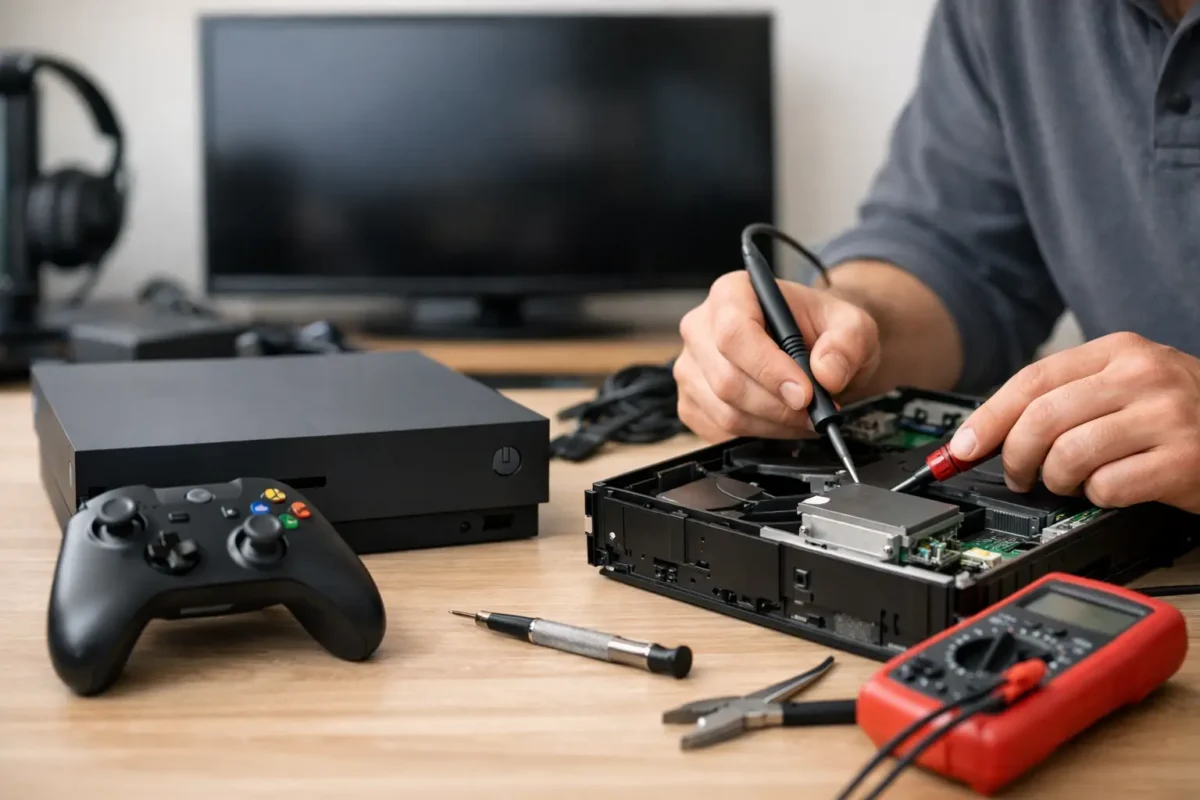
When an Xbox suddenly goes dead – no light, no startup chime, no response from the power button – most people assume the console is finished. In reality, xbox not turning on repair often comes down to identifying whether the fault is external power, a failed internal component, or a board-level issue that needs real diagnostic work instead of guesswork.
What causes an Xbox to stop powering on?
A no-power Xbox can fail in a few different ways, and the details matter. Some consoles show absolutely no signs of life. Others beep once, flash briefly, or turn on and shut right back off. Those symptoms point to different failure paths, which is why proper diagnosis matters more than replacing random parts.
The simplest cause is power delivery. That can mean a bad outlet, damaged power cable, worn power supply, or a power protection event after a surge. On some Xbox models, the external power brick is the weak point. On others, the issue is inside the console itself, such as a shorted component, failed power management circuit, damaged HDMI retimer, or a fault in the standby voltage rail.
Heat and dust can also play a role, but not always in the way people think. Overheating usually causes shutdown behavior before total no-power failure. If the console worked poorly for weeks, ran hot, and then stopped turning on, contamination or thermal stress may have contributed to a deeper board problem.
Xbox not turning on repair starts with symptom-based diagnosis
A good repair process does not begin with opening the console and ordering parts. It starts with isolating the symptom.
If the Xbox has no light and no sound at all, the first question is whether standby power is reaching the board. If the console beeps but does not boot, the problem may be farther along in the startup chain. If it powers on for one second and dies, that often suggests a short, failed regulator, or protection shutdown.
This is where many shops go wrong. They treat all no-power failures as the same issue. Real console repair means checking voltage rails, testing for shorts, examining MOSFETs and regulators, and confirming whether the failure is in the power supply stage, southbridge-related circuitry, storage path, or another section of the board.
That difference matters for cost too. A shop that only swaps assemblies may quote a full board replacement or tell you the unit is not worth fixing. A technician who performs board-level diagnosis may be able to repair the exact failed circuit and save the console.
What you can safely check before seeking repair
Before assuming the console needs bench work, there are a few things worth testing. These steps are safe and practical for most owners.
Start with the outlet and cable. Try a known-good outlet directly at the wall, not through a power strip or surge protector. If your model uses an external power brick, check whether the brick shows any light or unusual behavior. A dead or blinking brick can indicate either a failed adapter or a console-side short.
Next, disconnect everything from the Xbox except power. Remove external drives, USB accessories, headset adapters, and network accessories. A bad peripheral can interfere with startup, especially if there is a short on a USB line.
Then perform a full power reset. Unplug the console completely and leave it disconnected for several minutes. If the model has a power brick, disconnect both ends. This will not fix a failed chip, but it can clear certain power-state lockups.
Also pay attention to what happens when you press power. No response, a brief sound, a flash of light, or immediate shutdown are all useful clues. Those details help a technician narrow the fault much faster.
What not to do during xbox not turning on repair
A lot of damage happens after the original failure, not before it.
Do not keep trying to power on a console dozens of times if it is clicking off or showing signs of a short. Repeated attempts can stress already failing components. Do not swap in random parts because someone online had a similar symptom on a different model. Xbox One, One S, One X, Series S, and Series X have different common failures and different board layouts.
Avoid using compressed air aggressively through vents on a dead console. That can push debris deeper inside. And unless you have proper tools and electronics experience, avoid opening the system and probing the board. Modern consoles are tightly packed, and damage to connectors, shielding, or surface-mount components can turn a repairable problem into a more expensive one.
Common internal faults behind no-power Xbox failures
Power supply and input stage problems
On consoles with external power supplies, the adapter is an obvious suspect, but it is not always the real cause. If the console has an internal short on the main power rail, it can make the external brick appear defective. On newer models with internal power supply sections, failures can occur at the input filtering stage, protection components, or power conversion circuits.
Shorted components on the motherboard
Shorted capacitors, failed MOSFETs, and damaged regulators are common board-level faults in no-power electronics. These parts can fail from age, heat, liquid exposure, electrical surge, or manufacturing fatigue. A short on one rail can stop the entire system from entering a normal startup sequence.
HDMI and related circuit faults
This surprises people, but some HDMI circuit failures can affect startup behavior. Depending on the model and the exact component involved, the console may fail to initialize correctly or shut down during boot. That is why a proper diagnosis checks more than just the obvious power path.
Corrosion or liquid damage
Even a small spill can create long-term trouble. Corrosion around connectors, power management chips, or fine-pitch components can interrupt signals or create partial shorts. Sometimes the console works for weeks after exposure before finally failing.
Storage or firmware-related issues
Not every power complaint is true no-power. Some consoles appear dead to the owner because they never complete startup or display video. A failing drive, corrupted system files, or internal communication fault can imitate a deeper hardware problem. The symptoms can overlap, so testing matters.
When professional repair makes sense
If you have already ruled out the outlet, cable, and accessories, and the Xbox still shows no life or unstable startup behavior, it is time for professional service. This is especially true if the console powers on briefly and shuts off, the power supply acts abnormal, or there are signs of heat, odor, prior liquid contact, or surge damage.
Professional repair makes the most sense when the console still has value to you – whether that is cost, saved data, game library access, or simply not wanting to replace hard-to-find hardware. It also makes sense when the shop actually performs in-house diagnostics rather than shipping the job elsewhere or defaulting to board replacement.
A real repair workflow should be straightforward. The unit is checked in, symptoms are verified, diagnostic testing is performed, the failed area is identified, and repair options are explained before work moves forward. That approach is better for the customer because it keeps the process honest. You are paying for diagnosis and skilled repair, not guesswork.
Why board-level repair matters on Xbox consoles
Board-level repair is the difference between solving the fault and replacing assemblies until something works. On a no-power Xbox, that can mean tracing a failed voltage rail, replacing a shorted component, rebuilding damaged pads, repairing connector damage, or restoring a section of the PCB after corrosion.
That level of work is not available everywhere. Many repair businesses are built for quick part swaps, which is fine for simple jobs but not enough for complex console failures. If the issue sits on the motherboard, shallow troubleshooting will miss it.
For customers, the benefit is practical. Component-level repair can reduce cost, preserve the original console, and recover systems that other shops reject. That is especially valuable for newer Xbox models and for failures that are intermittent, surge-related, or tied to power management circuitry.
Choosing the right repair shop
Not every repair shop is equipped for xbox not turning on repair, even if they advertise console service. Ask whether diagnosis is done in-house. Ask whether they perform board repair, micro-soldering, and power circuit work. Ask whether they can explain the failure before quoting the fix.
A good shop will not promise a magic answer in two minutes. They will tell you what needs to be tested, what the likely causes are, and where the uncertainty is. That kind of transparency is a good sign, because electronics repair is technical work, not a script.
If you are in Riverside County, working with a shop that handles advanced console repair in-house can save time and avoid the usual runaround. That matters when you need a real answer, not a blanket recommendation to replace the whole unit.
An Xbox that will not turn on is not automatically done for. Sometimes the problem is simple. Sometimes it is deep on the board. Either way, the best next step is not guesswork – it is a proper diagnosis that finds the actual fault and gives you a repair path you can trust.