

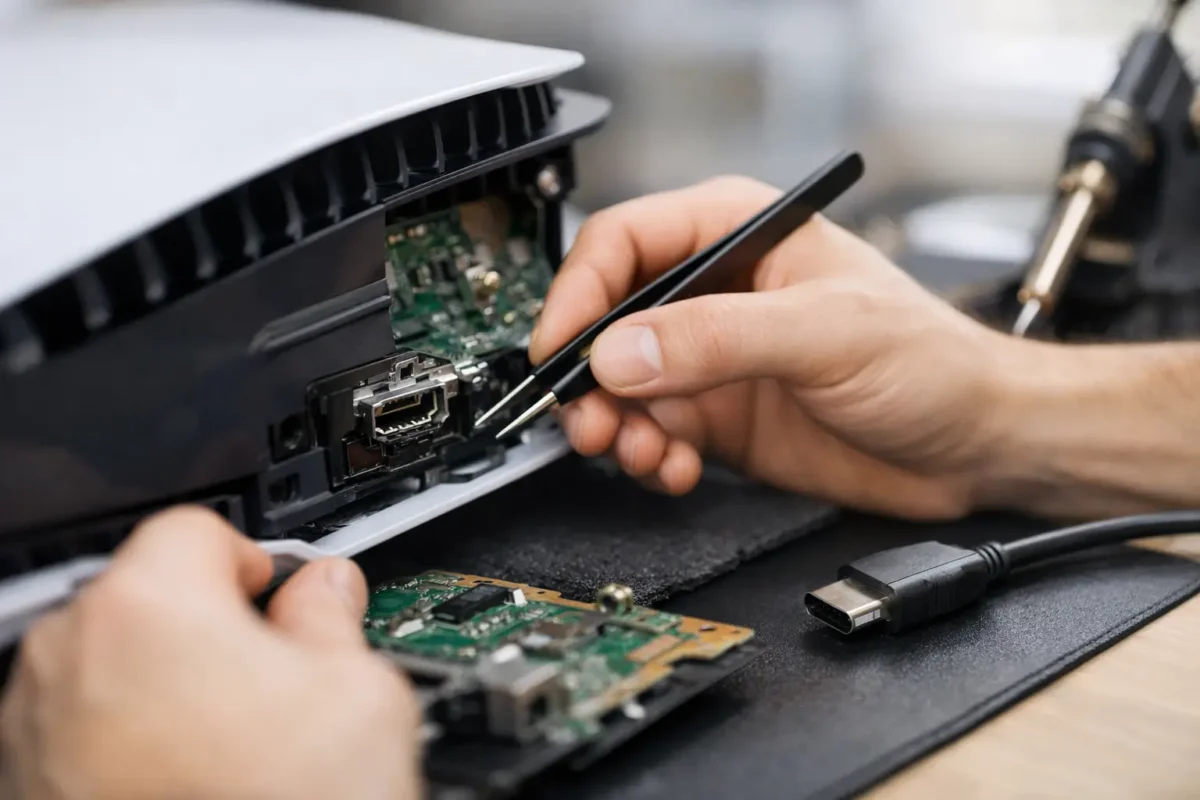
One bad cable tug is all it takes. A PS5 that powered on fine yesterday suddenly shows no signal today, and the first thing many owners notice is the HDMI cable no longer fits quite right, feels loose, or only works if it is held at an angle. That is usually where ps5 hdmi port repair starts – not with guesswork, but with confirming whether the problem is the port itself, the board behind it, or something deeper in the video circuit.
When a damaged HDMI port is the real problem
The HDMI port on a PS5 takes more abuse than people think. Consoles get moved between rooms, packed for trips, pushed too close to walls, or connected and disconnected over and over. The port is mounted to the motherboard, and while it is designed for normal use, it does not take much force to crack solder joints, bend pins, or physically deform the housing.
Common signs point in that direction. You may get no signal at all, a flickering picture, intermittent display, or an image that cuts in and out when the cable moves. Sometimes the console still boots and the white light comes on, but the TV acts like nothing is connected. In other cases, the port looks visibly damaged, with bent metal, crushed plastic, or pins that no longer line up.
That said, not every no signal issue means the port alone is bad. A damaged HDMI encoder, filter array, lifted pads, or trace damage on the board can produce the same symptoms. This is where real diagnosis matters. Swapping a port onto a damaged board without checking the rest of the circuit is how bad repairs happen.
PS5 HDMI port repair vs simple part swapping
A proper ps5 hdmi port repair is not just a matter of melting off one part and dropping on another. On the PS5, the work has to be precise. The old port must be removed without tearing pads from the board. The new port has to line up exactly, every pin must be cleanly soldered, and the technician should inspect the surrounding circuit for collateral damage.
This is why repair quality varies so much from shop to shop. Some places only handle straightforward connector replacement. If the board pads are damaged, if traces are broken, or if the HDMI retimer or related components have failed, they may stop there or recommend replacing the whole motherboard. A shop that does in-house board repair can often go further, rebuilding pads, repairing traces, and testing the circuit at component level.
That difference matters to the customer because it affects both price and outcome. Replacing a full board is expensive and can create pairing issues with other console components. Targeted board repair, when done correctly, is usually the smarter path.
What causes PS5 HDMI port damage
Physical stress is the big one. A cable getting yanked sideways can bend the port shell or push internal pins out of position. Repeated insertions can slowly loosen the connection, especially if the cable is heavy or the console sits in a tight cabinet where the cord is constantly under pressure.
There is also hidden damage that the outside does not fully show. The port may look only slightly worn, but the solder joints underneath can be cracked. In harder impact cases, the board itself can suffer lifted pads or torn traces. If someone already tried a low-quality repair, that can make things worse by overheating the area or installing the wrong port.
Dust and debris can also mimic a damaged connector. If the cable does not seat fully because the port is packed with debris, the connection may fail. That is the easier scenario, but it should still be checked carefully rather than scraped at with metal tools.
How the repair process should work
A solid repair starts with inspection and testing, not assumptions. The technician should verify the symptoms, inspect the HDMI port under magnification, test the console with known-good cables and displays, and determine whether the issue is mechanical damage, board damage, or another video-related fault.
Visual inspection and symptom confirmation
The first step is confirming what the console is actually doing. Does it power on normally? Does it show safe mode? Is there any intermittent image? Is the port physically loose? These details help narrow the fault before any soldering begins.
Board-level diagnosis
If the port is clearly damaged, that may be the main job. But a skilled shop will still inspect the pads, traces, filters, and surrounding HDMI circuit. On some consoles, the port damage is only half the story. A strong impact can travel beyond the connector itself.
Port removal and replacement
The damaged port is removed using controlled heat and proper board handling. This is delicate work. Too much heat or poor technique can lift pads and turn a clean repair into a larger board reconstruction.
Once the area is cleaned, the new port is aligned and soldered into place. The joints need to be mechanically strong and electrically correct. The technician should then inspect the work under magnification to confirm pin integrity and shell anchoring.
Testing after the repair
Final testing matters just as much as the soldering. The console should be checked for stable video output, proper resolution handshake, and a secure cable connection. If the image returns but cuts out with movement, the job is not done.
Can you do PS5 HDMI port repair yourself?
For most owners, this is not a good DIY repair. The PS5 HDMI port is directly mounted to the board, and replacing it takes the right hot air equipment, soldering tools, magnification, experience, and board-level discipline. This is not like changing a drive cover or fan.
The risk is not just failure. It is making the console more expensive to fix afterward. Torn pads, scorched board layers, bridged pins, and damaged nearby components can turn a standard connector job into extensive micro-soldering work. If you already have professional rework skills, that is one thing. If not, this is usually a repair better left to a shop that handles component-level electronics every day.
How much does PS5 HDMI port repair cost?
The honest answer is that it depends on the damage. A straightforward port replacement costs less than a repair that also requires pad reconstruction or trace repair. If the HDMI encoder or nearby components are damaged, the repair can move into a different tier of board work.
Customers should be cautious of prices that sound too good to be true. Cheap repair quotes often assume an easy job with no board damage, and some shops revise the number only after opening the console. What matters more than the lowest price is whether the shop is actually equipped to finish the repair in-house if the problem goes beyond the connector.
For valuable hardware, diagnosis-first pricing is usually the most honest model. It gives you a real answer based on the board condition instead of a blind quote built on best-case assumptions.
Choosing a shop for PS5 HDMI port repair
If you are comparing repair options, ask direct questions. Does the shop perform board-level work in-house? Do they handle pad repair and trace repair if the port damage is worse than expected? Do they test the HDMI circuit beyond just replacing the connector? Those answers tell you a lot.
You also want a shop that treats the console like a system, not just a shell with parts inside. No signal problems can involve multiple failure points, and the best repair shops know that a proper fix starts with diagnosis. At Amazing Technology Group, that engineering-first approach is what makes difficult repairs worth doing. Customers are not just paying for a part. They are paying for the skill to identify the actual failure and repair it correctly.
When to stop using the console
If your PS5 only works when the cable is twisted, propped up, or pushed inward, stop using it that way. Continued use can damage the port further and increase stress on the board. What may start as a loose connector can become torn pads or damaged traces if the cable keeps shifting during use.
The same goes for forcing a cable into a visibly bent port. If the connector no longer lines up cleanly, forcing it usually makes the repair harder, not easier. Getting it inspected sooner can preserve the board and keep the repair more straightforward.
A damaged HDMI port is frustrating, but it is often fixable with the right tools and the right level of repair skill. The best move is to treat it early, get a real diagnosis, and choose a shop that can handle more than the obvious damage if the board needs deeper work.