

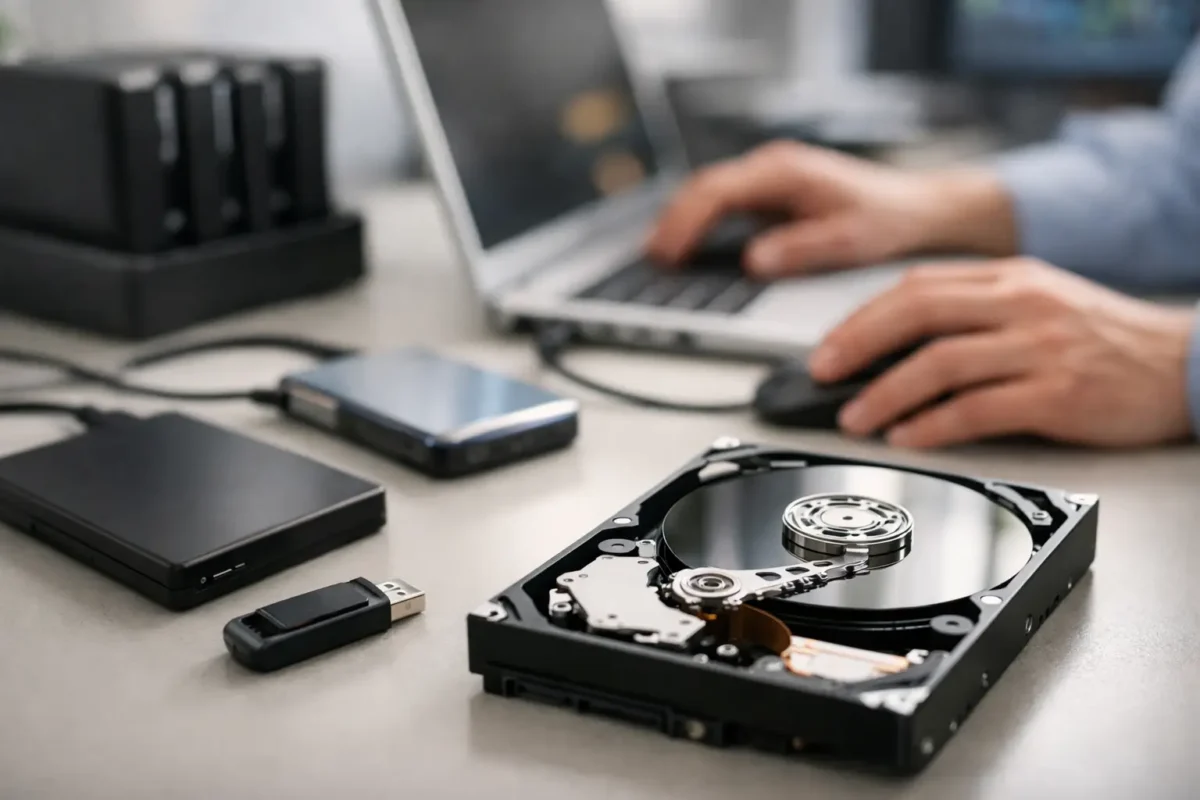
One bad click, a dead laptop, a dropped external drive, or a console that suddenly stops reading storage – that is usually how data recovery becomes urgent. When the files are family photos, business records, music libraries, project files, or client data, the wrong next step can make a recoverable problem much worse.
That is why the first rule is simple: stop using the device if the missing data matters. Continued use can overwrite deleted files, worsen corruption, or turn a failing drive into a complete failure. A lot of recoveries are won or lost in the first hour, not because the damage was impossible, but because the device kept running while someone tried random fixes.
What data recovery actually means
Data recovery is the process of retrieving inaccessible, deleted, corrupted, or unreadable files from storage media. That can include hard drives, SSDs, USB flash drives, SD cards, RAID arrays, laptops, desktops, and some embedded storage devices inside specialized equipment.
Not every case is the same. Sometimes the data is still there and the file system is damaged. Sometimes the drive electronics have failed. Sometimes the operating system will not boot, but the storage itself is still healthy. In more serious cases, the drive has bad sectors, firmware issues, physical damage, or a board-level fault that requires real diagnostics before anyone should touch the data.
This is where people often get bad advice. If a shop only knows how to swap parts, it may treat every failure like a replacement job. But storage problems do not work that way. The device might be replaceable while the data is not.
The most common causes of data loss
Deleted files are only one piece of the puzzle. Accidental formatting is common, especially with external drives and SD cards. File system corruption can happen after improper shutdowns, failed updates, malware, or power loss. Mechanical hard drives can suffer head crashes, motor failure, or platter damage. SSDs fail differently – controller issues, degraded flash memory, firmware faults, or sudden no-detect problems are more typical.
There are also device-specific cases that catch people off guard. A laptop with liquid damage may still have recoverable storage even if the machine itself is dead. A gaming PC with motherboard failure may look like a total loss when the actual data is fine. A DJ controller, production workstation, or business system may hold irreplaceable settings, recordings, databases, or project assets even though the hardware problem starts somewhere else on the board.
That is why careful diagnosis matters. You are not just asking, “Can this device be fixed?” You are also asking, “What is the safest path to the data?”
What not to do during data recovery
The biggest mistake is continuing to use the affected device like normal. Saving new files, installing recovery software, running updates, or repeatedly rebooting can all reduce the odds of a clean recovery. If the drive is making unusual noises – clicking, grinding, repeated spin-up attempts – shut it down immediately. Mechanical damage gets worse fast.
Another common mistake is opening a drive at home. Hard drives are not designed for kitchen-table repair. Dust, static, and improper handling can destroy media surfaces that might have been recoverable in controlled conditions.
People also lose data by trusting the first software tool they find. Recovery software can help in some logical failure cases, but it is not a universal solution. If the drive has physical failure, unstable sectors, controller damage, or intermittent detection, software can push it over the edge. The tool is not the problem by itself. The problem is using it on the wrong kind of failure.
When software recovery can work
If a file was recently deleted, the recycle bin was emptied, or a partition was accidentally formatted without major reuse of the device, software-based recovery may be possible. The best cases are clean logical issues on otherwise healthy storage.
Even then, the process should be controlled. The recovered data should never be saved back onto the same drive. The device should be connected in a way that reduces write activity, and the recovery should start with imaging whenever possible. In plain terms, the goal is to work from a copy, not the original, because every read from a failing device carries some risk.
For business users, this matters even more. A workstation with accounting files, customer records, or operational documents is not the place for trial and error. The value of the data usually exceeds the cost of proper handling.
When professional data recovery is the better move
If the drive is not detected, disconnects randomly, makes noise, overheats, suffered impact damage, has liquid exposure, or belongs to a system with board-level failure, it is time to stop experimenting. The same goes for encrypted drives, RAID systems, and storage tied to specialized workflows where the files have high value or tight deadlines.
Professional data recovery starts with diagnosis, not guesses. A capable shop will determine whether the issue is logical, electrical, firmware-related, or mechanical. That changes the method completely. In some cases, the right move is to stabilize the device electronically. In others, the drive needs imaging with hardware tools designed to handle bad sectors safely. In still others, the host device has failed while the storage can be removed and accessed independently.
This is where in-house technical depth matters. A team that understands board repair, power rails, controller behavior, and component-level failure has more options than a shop that only replaces assemblies. Sometimes the shortest path to the data is not a generic recovery program. It is repairing the hardware enough to access storage safely.
How the process should work
A solid data recovery process is straightforward. First comes intake and symptom review. What happened, what device is involved, and what changed right before the failure? Then comes diagnosis. The storage and the surrounding hardware need to be evaluated without taking unnecessary risks.
After that, the next step should be clear authorization. You should know whether the issue appears logical or physical, what the recovery path looks like, and what the cost range is before major work begins. Once approved, the technician performs the least invasive recovery method that makes sense for the condition of the device. That may mean imaging, file extraction, board-level repair, connector repair, or controlled access to damaged media.
Finally, recovered data should be verified and returned on known-good storage. If a provider cannot explain this process plainly, that is a red flag.
Data recovery for home users and businesses
For home users, the priority is often sentimental or personal value. Photos, tax records, school files, creative work, and saved game data can all matter more than the hardware they came from. For small and mid-sized businesses, the pressure is different but just as real. Lost spreadsheets, project folders, databases, QuickBooks files, user profiles, and shared drive content can stop operations cold.
The good news is that many cases are recoverable if they are handled early and correctly. The bad news is that panic leads people to keep trying things that make the damage worse. That is why a practical, disciplined approach beats a rushed one every time.
If you are in Riverside County and dealing with a failed laptop, external drive, desktop, or business machine, working with a repair team that already handles advanced diagnostics and board-level electronics can save time and reduce unnecessary risk. Amazing Technology Group Inc. operates in exactly that lane – hard problems, real troubleshooting, and repairs done with the data in mind.
How to protect yourself after recovery
The best time to think about backup strategy is right after a successful recovery, when the cost of losing data is still fresh. One backup is better than none, but it still leaves gaps. Local backups are fast and useful. Cloud backups add off-site protection. For business systems, versioned backups matter because corruption and ransomware are different problems than simple deletion.
A backup plan does not need to be fancy. It needs to be consistent, tested, and separate from the device you use every day. If your files only exist in one place, you are one accident away from another emergency.
Data loss feels personal because it usually is. The fix starts with staying calm, powering down when necessary, and getting the problem diagnosed before guesswork does more damage. When the files really matter, the smartest move is not doing more. It is doing the right thing first.