Computer Repair - Game Console Repair - Electronics Repair - Micro Soldering | !!! Now Open from 8am to 10pm Mon - Thurs =) !!!

Categories
Uncategorized

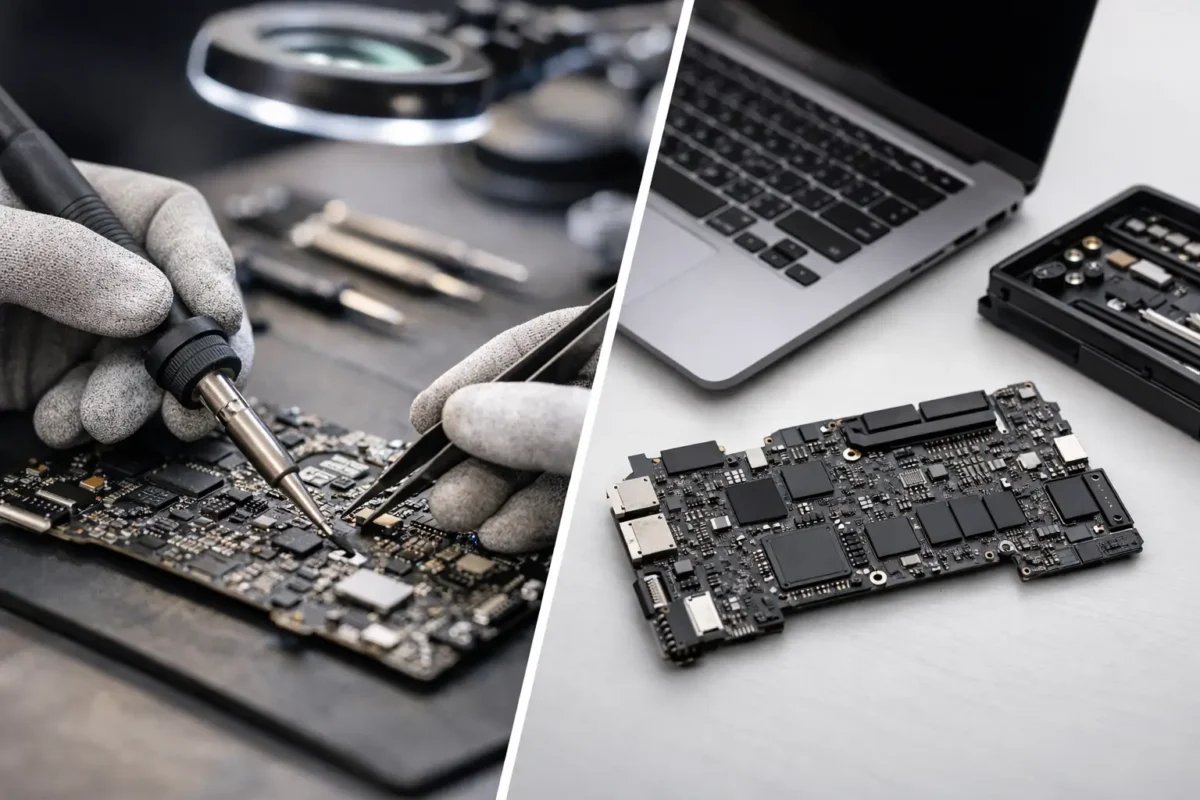
Logic Board Repair Versus Replacement

When a device lands on the bench with power issues, no display, charging failure, liquid damage, or random shutdowns, the real question is not just what broke. It is whether logic board repair versus replacement makes more sense for that specific machine. That answer depends on the fault itself, the value of the device, parts availability, turnaround time, and whether the original board can be restored safely and reliably.

A lot of shops skip straight to replacement because it is easier to quote. Swap the board, test basic function, move on. But that approach is not always the smartest one for the customer. On many laptops, desktops, game consoles, and specialty electronics, board-level repair can save money, preserve original hardware, and avoid the supply problems that come with trying to source a full replacement board.

Why logic board repair versus replacement is not a simple yes or no

A logic board is the central electronic platform that ties major functions together. Power rails, charging circuits, USB lines, video output, storage communication, RAM control, audio functions, and system management all live there. When one section fails, the whole device can look dead even if the damage is limited to a small group of components.

That is why logic board repair versus replacement should start with diagnostics, not assumptions. A blown fuse, shorted capacitor, failed MOSFET, damaged charging IC, corroded trace, or cracked connector can often be repaired without replacing the entire board. On the other hand, severe multilayer damage, widespread liquid corrosion, burned substrate, or chip-level failure in a hard-to-source area may push the job toward replacement.

Good repair work is about precision. Good advice is about knowing when precision is the better investment and when it is not.

When repair is the better move

Repair usually makes the most sense when the failure is isolated, the board is otherwise in good condition, and replacement boards are expensive, unreliable, or unavailable. This is common with newer laptops, gaming systems, DJ gear, and certain professional devices where replacement boards are either backordered or cost so much that they almost kill the economics of the whole job.

A proper board-level repair can target the actual failed section instead of throwing away an entire assembly. If a charging circuit is shorted, replacing that circuit may restore full function at a fraction of the cost of a whole board. If liquid entered near a connector and damaged a handful of components, cleaning, trace repair, and component replacement may be enough.

Repair can also be the better choice when the original board contains important paired components. Some devices tie storage, security, firmware, or device identity to the original board. A replacement is not always plug-and-play. In those cases, keeping the original board alive can prevent compatibility issues and reduce the chance of secondary problems.

For customers who care about value, this is where real diagnostics matter. You are not paying for guesswork. You are paying for someone to find the failed area, measure the board correctly, and fix what actually failed.

Cases where board repair often wins

Power and charging failures are strong candidates for repair because they often trace back to a limited set of components. Port damage is another common example, especially when the board itself is still healthy apart from torn pads or damaged traces around the connector. Moderate liquid damage can also be repairable if corrosion has not spread too far into hidden layers or under major chips.

Console issues such as no power, HDMI output failure, and damaged USB or charging circuitry often fall into this category too. So do many laptop failures that look catastrophic to the owner but turn out to be localized electronic faults.

When replacement is the smarter call

Not every board should be repaired. There are times when replacement is the more responsible recommendation.

If the board has severe physical damage across multiple layers, repair time can grow quickly while long-term reliability drops. The same is true when corrosion has spread under major ICs and into multiple sections of the board. You may be able to bring it back temporarily, but if the structure of the board has been compromised in several areas, replacement may offer a more stable outcome.

Replacement can also make sense when labor would exceed the cost of a known-good board. If a board is easy to source, reasonably priced, and does not create pairing or data issues, a replacement may be the faster and cleaner solution. For business users, downtime can be more expensive than hardware. In that situation, speed matters.

There is also a parts reality that customers do not always see. Sometimes the failed chip is unavailable, counterfeit risk is high, or the needed donor board is hard to justify economically. A technician can be capable of the repair and still recommend replacement because it is the better overall decision.

The risk with replacement boards

Replacement sounds simple, but it carries its own trade-offs. Used boards may have hidden faults. Refurbished boards vary a lot in quality. Some aftermarket options are poor enough to create a second repair later. If a shop treats every failure as a board swap, the customer may end up paying more for a weaker result.

That is why the source and condition of the replacement matter just as much as the idea of replacement itself.

Cost, data, and turnaround all matter

Customers usually ask one question first: which option is cheaper? Fair question, but cost is only one part of the decision.

Repair is often less expensive when the failure is limited and the board is worth saving. Replacement may cost more in parts but less in labor if the board is easy to obtain and install. The right answer depends on the failure path, not just the invoice total.

Data is another major factor. On many systems, especially laptops and certain integrated devices, a damaged board may still hold access to important files through board recovery or preservation of the original storage path. A full board replacement can complicate that. If the device contains critical business files, project work, recordings, or personal data, that changes the repair strategy.

Turnaround matters too. Some repairs can be completed quickly once the failure is identified. Others require specialized parts, micro-soldering work, or extensive cleaning and trace restoration. If replacement boards are in stock, replacement may be faster. If they are not, targeted repair may actually beat replacement.

What a real diagnostic process should look like

This is where good shops separate themselves from parts swappers. Proper diagnosis means confirming the symptom, checking for shorts, tracing power rails, inspecting for corrosion or physical damage, testing suspect circuits, and determining whether the failure is localized or systemic.

A technician should be able to explain what failed, what the repair path is, and what the risks look like. Not every job has a perfect guarantee, especially with liquid damage or severe electrical events, but the customer should still get a clear recommendation based on evidence.

At Amazing Technology Group, this kind of board-level thinking is the whole point. Difficult cases get worked in-house by technicians who understand component failure, not just assembly replacement. That matters when the device is expensive, specialized, or already turned away somewhere else.

How to decide without wasting money

If you are comparing logic board repair versus replacement, start with three practical questions. Is the original board likely repairable? Is a replacement board actually available in quality condition? And which option gives you the best balance of cost, reliability, and downtime?

If the shop cannot explain the failure beyond saying the board is bad, that is a warning sign. A bad board is a symptom description, not a diagnosis. You want to know whether the damage is isolated, whether repair is realistic, and whether replacement introduces other issues.

For gamers, creatives, DJs, and small businesses, the right call often comes down to preserving valuable hardware without overpaying for the easiest answer. That is especially true with devices that are expensive to replace, customized, or no longer supported well by the manufacturer.

The best repair decision is not the one that sounds simple. It is the one backed by testing, honest trade-offs, and the skill to fix what others write off. If your device is worth keeping, get it diagnosed by a team that knows the difference.

Categories
Uncategorized

Small Business IT Support Services That Work

A server glitch at 8:15 a.m. can throw off payroll, sales, scheduling, and customer service before your first coffee is gone. That is why small business IT support services are not just about fixing computers when they break. They are about keeping the whole operation moving when your team has real work to do.

For a small business, technology problems rarely stay isolated. A slow workstation can delay invoicing. A bad switch can knock out phones, printers, and card processing. A flaky backup can turn one accidental deletion into a serious loss. When margins are tight and staff wear multiple hats, downtime costs more than the repair bill. It costs momentum.

What small business IT support services should actually cover

A lot of providers talk in vague terms. Small businesses need something more concrete. Good support should cover the basics, of course – computers, user accounts, Wi-Fi, printers, software issues, and security. But that is only the starting point.

Real support also means network troubleshooting, backup monitoring, patch management, email issues, hardware diagnosis, and practical help when something unusual fails. If your business relies on specialized devices, point-of-sale systems, production machines, or workstations with custom hardware, the provider should be able to troubleshoot beyond a simple reboot-and-replace script.

That matters because small businesses often run mixed environments. One office may have Windows laptops, an older Mac used for design, a network printer everyone hates, cloud apps, an on-premise NAS, and a front desk machine running a legacy program nobody wants to touch. Support has to work in the real world, not in a perfect diagram.

Break-fix support vs managed small business IT support services

This is where many owners get stuck. Do you call for help only when something goes wrong, or do you pay for ongoing support?

Break-fix support can make sense if your environment is simple, your budget is tight, and downtime is not catastrophic. If you have three users, mostly cloud-based tools, and minimal compliance concerns, you may not need a full managed service plan right away.

But break-fix has a catch. It rewards reaction, not prevention. Problems get handled after they interrupt work. Updates slip. Backups go unchecked. Aging hardware stays in place until it fails at the worst possible time. What looks cheaper on paper can get expensive fast when a ransomware event, failed drive, or network outage knocks out a full day of business.

Managed support usually includes monitoring, maintenance, patching, antivirus oversight, backup checks, and user support under a monthly agreement. The advantage is predictability. The trade-off is that not every small business needs the same level of service. A good provider should scale support to the business, not force every client into an oversized package.

Why technical depth matters more than marketing promises

This is the part many businesses learn the hard way. Some IT providers are good at setting up a basic office but weak when a real hardware or infrastructure problem shows up. They can replace a router, swap a laptop, or reinstall software. Once the issue gets deeper, progress slows down.

That is a problem if your systems are tied to expensive hardware, custom builds, specialized electronics, or older equipment that still matters to your workflow. At that point, you do not just need a help desk. You need technicians who can diagnose accurately, isolate root causes, and decide whether equipment should be repaired, replaced, reconfigured, or rebuilt.

The difference is significant. Part-swapping can hide the real issue. True diagnostics can save money, shorten downtime, and prevent repeat failures. If a workstation crashes under load, the answer might not be a new machine. It could be RAM instability, storage failure, power delivery issues, overheating, or motherboard-level faults. If nobody checks properly, you can spend more and still keep the problem.

That engineering-first mindset is one reason some businesses work with teams like Amazing Technology Group, especially when standard support shops run out of answers. The value is not just fixing what is obvious. It is solving the failure that caused the disruption in the first place.

How to tell if your business has outgrown casual IT support

Most small companies do not wake up one morning and decide they need a real IT partner. Usually the signs pile up.

Maybe employees are losing time to recurring Wi-Fi issues. Maybe backups exist, but nobody has tested a restore. Maybe a former employee still has access to key accounts. Maybe every hardware purchase is rushed because there is no plan. Or maybe one person in the office has become the unofficial tech fixer, and it is eating into the job you actually hired them to do.

Those are not just annoyances. They are operational risks.

If your business depends on stable internet, shared files, remote access, security cameras, cloud software, or even one mission-critical workstation, support needs to be organized. That does not always mean enterprise-grade complexity. It means someone should own the health of the systems, document what matters, and respond before small issues become expensive ones.

What to ask before hiring a provider

The right questions are usually simple. Ask how they handle response times, after-hours emergencies, onboarding, documentation, backups, security updates, and user requests. Ask whether they support both remote and onsite work. Ask what happens when hardware fails and whether they can perform advanced diagnostics instead of defaulting to replacement.

Also ask how they explain findings. A good provider should be able to talk to a non-technical owner without hiding behind jargon. You should know what failed, what it affects, what the options are, and what it will cost. If every answer sounds slippery or overcomplicated, that is a warning sign.

Another smart question is whether they can support growth. The provider that works for a five-person office may not be the right fit when you add staff, expand locations, or bring more systems online. You want support that can grow with the business without forcing a complete reset later.

The most common gaps in small business IT support services

Some gaps are obvious. Others stay hidden until there is damage.

Backups are a big one. Plenty of small businesses think they are protected because files sync to the cloud or because a backup device is plugged in. That is not the same as a verified recovery plan. Backups need to be monitored, tested, and matched to the actual needs of the business.

Documentation is another weak point. If nobody knows the admin logins, network layout, warranty status, software licenses, or device history, even a routine issue takes longer to fix. Good support creates order. It does not just answer tickets.

Hardware lifecycle planning also gets ignored. Businesses often hold onto aging equipment because replacement feels expensive. Sometimes that is reasonable. Sometimes it creates more labor cost and downtime than the hardware is worth. The right answer depends on the device, the role it plays, and whether repair is practical. An experienced team should be honest about that balance.

Security tends to be misunderstood too. Small businesses are often told they are too small to be targets. That is false. They are often easier targets because protections are weaker, passwords are reused, and policies are loose. You do not need a giant cybersecurity budget to improve your position, but you do need consistent patching, access control, endpoint protection, and basic user awareness.

Support should fit the way your business operates

The best IT support is not generic. A front-office legal practice, a medical office, a repair shop, a creative studio, and a warehouse operation all use technology differently. Their risk tolerance, downtime cost, software stack, and hardware needs are not the same.

That is why cookie-cutter support plans often disappoint. A provider has to understand the workflow, not just the devices. If your team depends on large file transfers, remote desktop access, specialty peripherals, or custom-built workstations, your support model should reflect that. If your office can tolerate slower turnaround on non-critical issues, that can shape the service level too.

Good providers build around how the business actually runs. They do not force the business to work around the provider.

What good support feels like day to day

It should feel calm. Problems get acknowledged quickly. Explanations are clear. Small issues are handled before they grow teeth. Users know who to contact. Owners are not chasing updates or guessing whether something was really fixed.

Just as important, there should be accountability. If a device is failing, you should hear whether it is worth repairing. If the network is unstable, you should hear why. If there is a security concern, you should know what changed and what needs attention next.

That kind of support does not come from flashy language or oversized promises. It comes from technicians who know how systems work, care about doing the job right, and do not stop at the easiest answer.

Technology should help a small business move faster, serve better, and waste less time on avoidable problems. If your current setup creates more uncertainty than confidence, that is usually the signal. The right support is not just there when things break. It helps your business stay ready for the next workday.

Categories
Uncategorized

How to Repair Corroded Circuit Boards

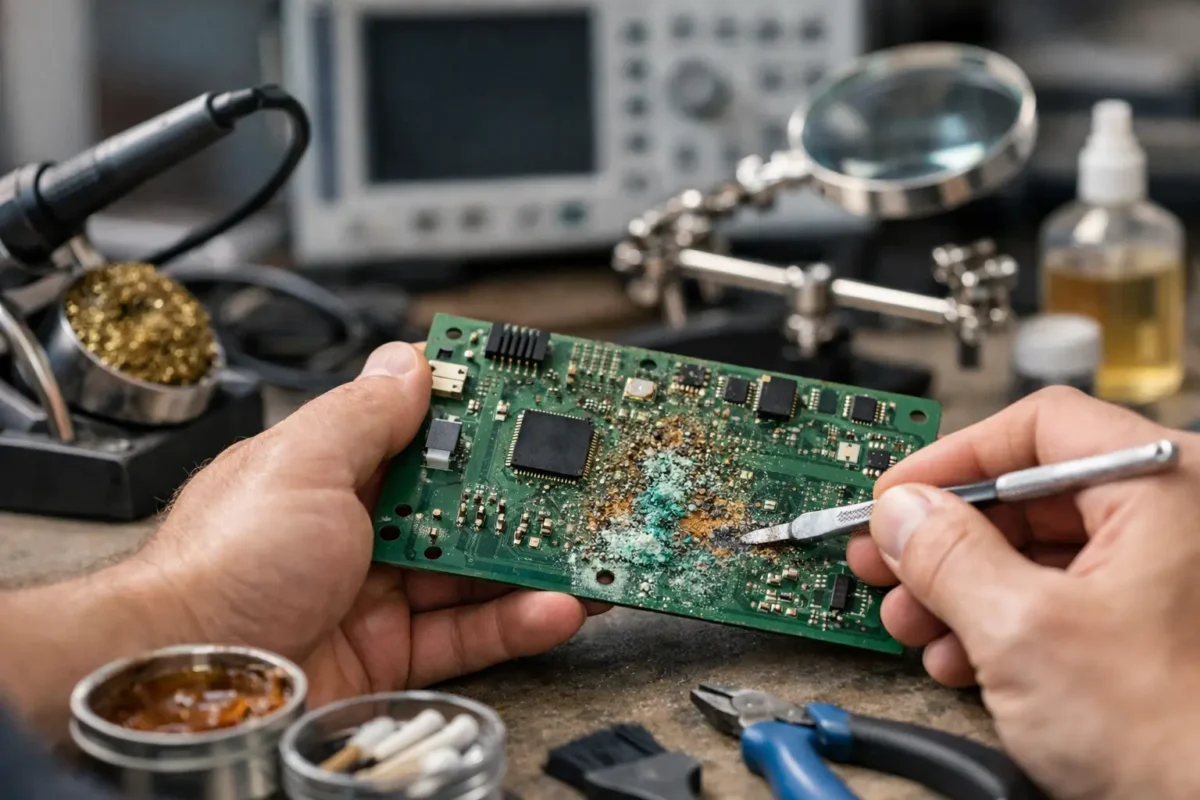
Corrosion on a circuit board rarely looks dramatic at first. A little green around a battery terminal, some white residue near a connector, a device that powers on only when it feels like it. Then the real problems start – intermittent boots, missing audio, dead USB ports, charging failures, and traces that disappear under the damage.

If you want to understand how to repair corroded circuit boards, the first rule is simple: do not treat corrosion like surface dirt. Corrosion is an electrical and chemical failure. If you clean only what you can see and skip the damaged pads, traces, or components underneath, the board may come back for a day, a week, or not at all.

What corrosion actually does to a board

Corrosion forms when moisture, battery leakage, contaminants, or spilled liquids react with metal on the PCB. Copper oxidizes, solder joints weaken, and component legs start to break down. On some boards, especially tightly packed laptop, console, and DJ equipment boards, corrosion also creeps under ICs and connectors where the damage is not visible without magnification.

That matters because the symptom you notice is often not the true failure point. A dead power rail may start at a corroded via three inches away. A charging issue may come from a damaged sense resistor, not the charging port itself. This is why real board repair starts with inspection and testing, not random scrubbing.

How to repair corroded circuit boards safely

Before touching the board, disconnect all power sources. Remove the battery if possible, unplug the adapter, and discharge any stored power. If the board came from a liquid-damaged device, do not keep trying to power it on to “test” whether it still works. Repeated power attempts can turn a repairable corrosion issue into shorted components and burned traces.

Set up a clean work area with good lighting. At minimum, you want nitrile gloves, ESD protection, a soft anti-static brush, high-purity isopropyl alcohol, lint-free swabs, tweezers, magnification, and a multimeter. For advanced repairs, hot air, micro-soldering tools, jumper wire, UV mask, and trace repair materials may also be needed.

The key trade-off here is simple. Light corrosion can sometimes be cleaned and stabilized with basic tools. Structural PCB damage, missing pads, under-chip corrosion, or failed multilayer connections usually need board-level repair equipment and experience.

Step 1: Inspect before you clean

Start with a full visual inspection under magnification. Look for green or blue copper salts, white crusty residue, blackened pads, lifted solder mask, broken component legs, and darkened areas around power circuits. Pay close attention to battery sections, charging areas, connectors, flex cable sockets, and any place where liquid could pool.

Then check both sides of the board. Corrosion often follows vias, edge connectors, shields, and screw holes. On multilayer boards, visible damage may be only the top layer of a deeper problem.

Step 2: Neutralize the source when needed

Not all contamination should be handled the same way. Battery leakage is different from soda, coffee, humidity, or flux residue. Alkaline battery leaks often need careful neutralization before final cleaning. Acidic contamination may need a different approach. If you do not identify the source, you risk spreading residue or leaving active contamination behind.

For most common electronics corrosion cleanup after the source is removed, high-purity isopropyl alcohol is the standard finishing cleaner. It helps dissolve residues and displace moisture, but it does not magically reverse metal loss.

Step 3: Clean the board without tearing it up

Use a soft anti-static brush and isopropyl alcohol to loosen corrosion gently. Work in small sections. Blot and lift residue away rather than grinding it into the board. If pads or traces already look fragile, aggressive brushing can remove what little conductive material is left.

This is where patience matters. A board that looks ugly can still be repairable. A board that gets over-scrubbed can lose reference points, solderable surfaces, and tiny components.

Step 4: Verify the damage after cleaning

Once the residue is removed, inspect the board again under magnification. You are now looking for what the corrosion left behind: eaten traces, pitted pads, cracked solder joints, damaged vias, and components with compromised terminations.

Use a multimeter in continuity mode to check suspicious traces and vias. Measure for shorts on main power rails if the board previously showed no power or unstable behavior. If a connector area was affected, test each pin path back to its next known point in the circuit.

This is where many DIY attempts go off track. The board looks cleaner, so it gets reassembled too soon. A clean board is not the same as a repaired board.

Repairing traces, pads, and components

If corrosion only affected surface grime and left the copper intact, cleaning and reflowing a few joints may be enough. If copper is missing, the repair becomes structural.

Damaged traces can sometimes be rebuilt by scraping back healthy copper, tinning the exposed area, and bridging the gap with fine jumper wire. Missing pads may be repairable depending on what they connected to and how much mechanical stress the part will see. Corroded connectors often need replacement, not just cleaning, because internal pin plating can continue failing after the outside looks fine.

Corroded components are another judgment call. If the legs on a resistor, capacitor, IC, coil, or port show visible degradation, replacement is usually safer than hoping they hold. On high-density boards, especially gaming consoles, laptops, and professional audio hardware, one weak connection can create intermittent faults that waste hours later.

When soldering is enough and when it is not

Fresh solder can restore a weakened joint, but it cannot rebuild missing copper inside a multilayer board. If a via barrel is eaten through or an internal layer connection is compromised, the fix may require micro-jumpers, schematic-level tracing, or a decision that the board is no longer economically repairable.

That “worth repairing” question depends on the device. A high-end motherboard, a scarce console board, or pro DJ gear may justify extensive work. A low-cost consumer board with deep corrosion across multiple power rails may not.

The hidden problem: under-chip and under-shield corrosion

Some of the worst corrosion is not visible from the top. Liquid can wick under BGA chips, metal shields, QFN packages, and fine-pitch ICs. The board may partially work, then fail under heat, load, or vibration. That kind of issue usually cannot be solved with surface cleaning alone.

If the affected area includes major power management ICs, GPU or CPU support circuitry, charging controllers, or high-density signal paths, proper repair may involve component removal, pad inspection, reballing or replacement, and post-repair testing. That is specialized work. It is also why serious board shops keep difficult repairs in-house instead of just replacing assemblies and calling it done.

Common mistakes that ruin repairable boards

The biggest mistake is powering up a wet or contaminated board. Right behind that is using the wrong cleaner, brushing too hard, or assuming all green residue is harmless. Another common problem is replacing obvious parts before confirming the power rail, enable signals, and trace integrity.

There is also the issue of partial repair. A USB-C area may have visible corrosion, but if the charge controller and nearby filters were also affected, changing the port alone will not solve much. Real diagnostics save time because they tell you whether the board has one damaged section or a chain reaction of failures.

When to stop and send it to a board-level repair shop

If the board has fine-pitch components, lifted pads, missing traces, battery acid damage, BGA-area corrosion, or no clear fault after cleaning, it is time to hand it off. The same goes for anything expensive, business-critical, or hard to replace.

A capable shop will inspect the board under magnification, test rail behavior, isolate failed sections, and repair what is actually damaged instead of guessing. For customers in Riverside County dealing with valuable computers, consoles, or specialty electronics, Amazing Technology Group handles this kind of board-level work the right way – with actual diagnosis, in-house repair, and no shortcut part swapping.

How to prevent corrosion from coming back

After repair, the board needs to be fully dry, electrically stable, and protected from the original cause. That may mean replacing leaking batteries, reseating seals, fixing cooling issues that cause condensation, cleaning fan systems, or changing how the device is stored and used.

For some boards, conformal coating or localized protection makes sense after repair. For others, especially boards that run hot or need future service access, clean restoration and environmental control are the better path. It depends on the equipment, the type of damage, and whether the device lives on a desk, in a backpack, in a shop, or on the road.

The main thing is this: corrosion is never just cosmetic. If you catch it early, a board can often be saved. If you wait until traces vanish and power rails collapse, the repair gets harder, slower, and more expensive. Clean carefully, test thoroughly, and when the damage goes past surface level, let a real board repair technician finish the job properly.